Stop Guessing Where Your Work Gets Stuck: Meet ChronoFlow, Time in Status and Wait Time Analysis…
Every team knows the feeling: a issue that should have shipped days ago is still open, and nobody quite remembers why. The truth is that…
Every team knows the feeling: a issue that should have shipped days ago is still open, and nobody quite remembers why. The truth is that work doesn’t slow down because anyone’s slacking, it slows down because issues sit, and your Jira board is very good at showing where an issue is while staying completely silent on how long it’s been there. ChronoFlow breaks that silence for you.
Custom Work Calendars
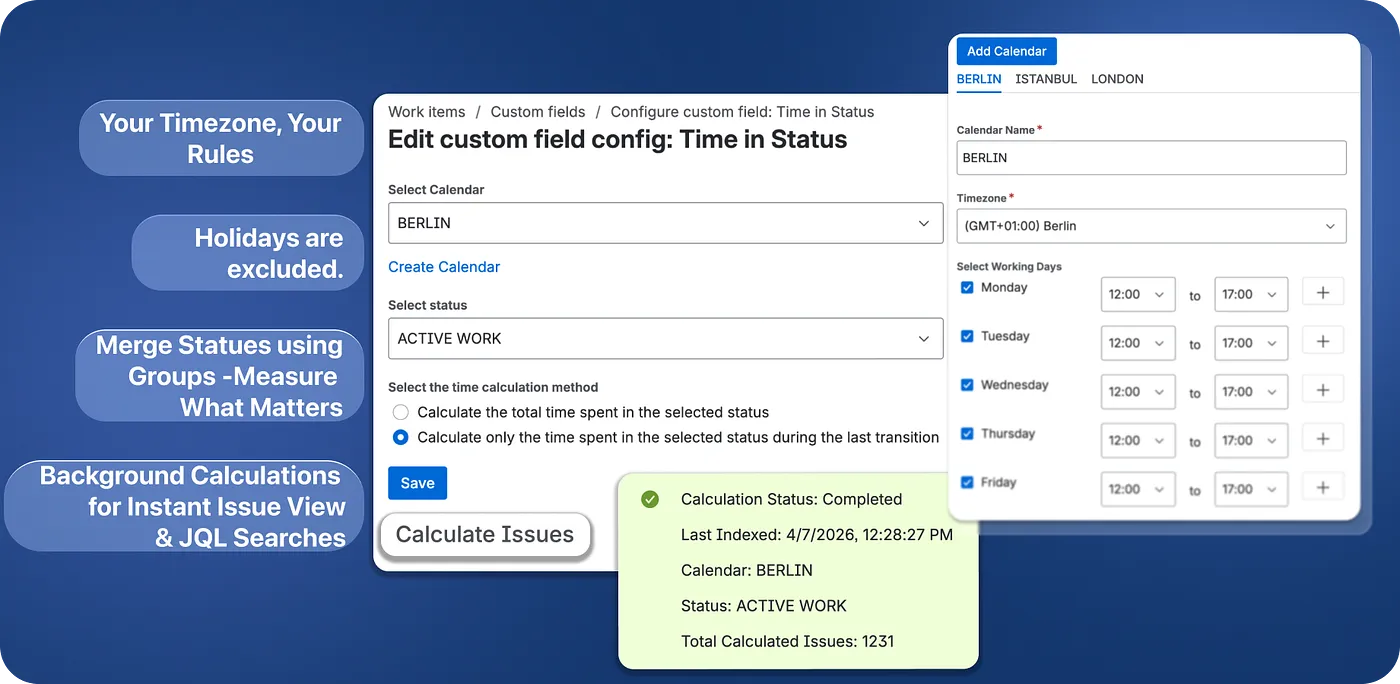
Raw elapsed time lies. An issue that enters Code Review on Friday at 4 PM and gets approved Monday at 10 AM didn’t take 66 hours, nobody was working over the weekend. You define your team’s working days, working hours, and timezone once, and every calculation respects them. You can create multiple calendars for different teams or regions and set a default, so everyone measures time the same honest way.
Background Calculations and Custom Field
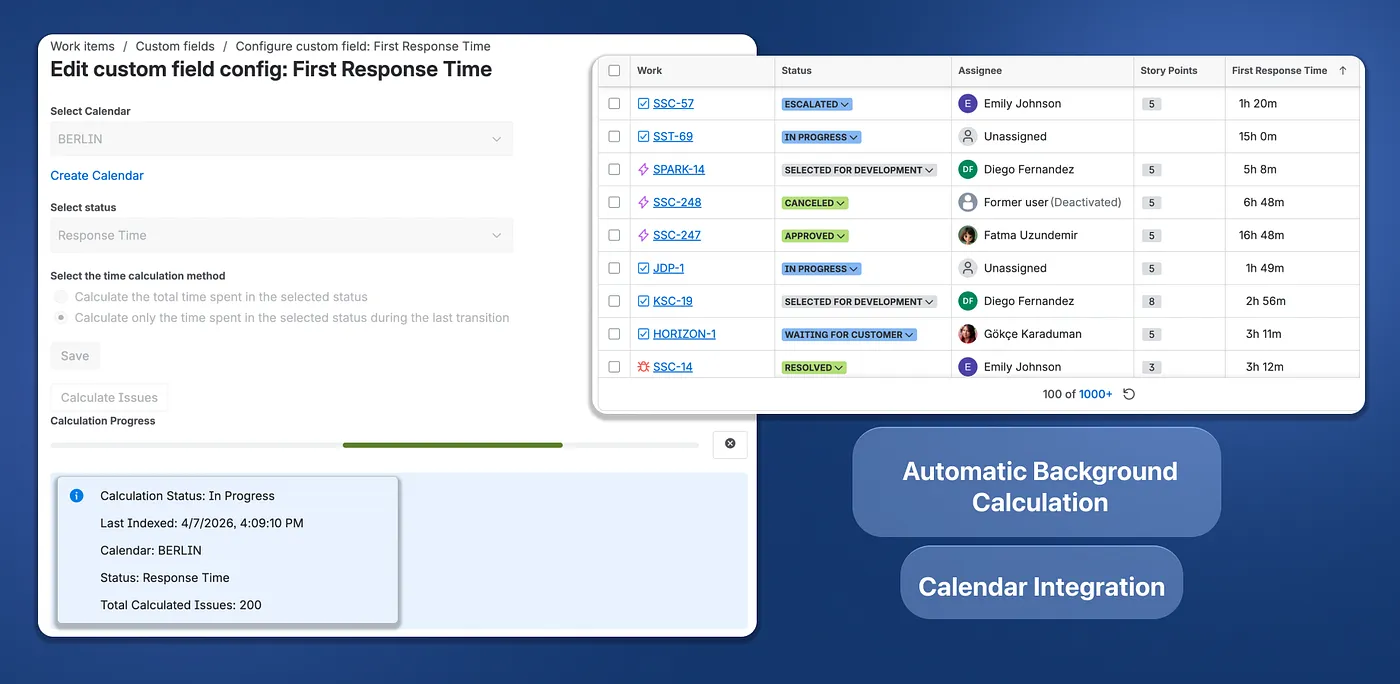
ChronoFlow can create reports without setting-up a custom field, like all other “time in status” apps, it calculates on the flow when displaying the report. But it also has a custom field, that can update in the background and lets you query and sort for “time in status” in JQL and add it as a column to standard Jira Issue Navigator.
When you first set things up, you start a one-time calculation so ChronoFlow can catch up on your existing issues, after that, you don’t have to press that button again. Every time an issue moves, its numbers update behind the scenes, and even while an issue is just sitting in Blocked, its clock keeps ticking, so the time you see is always current. A quiet check runs every hour to make sure nothing is ever missed.
Status Groups
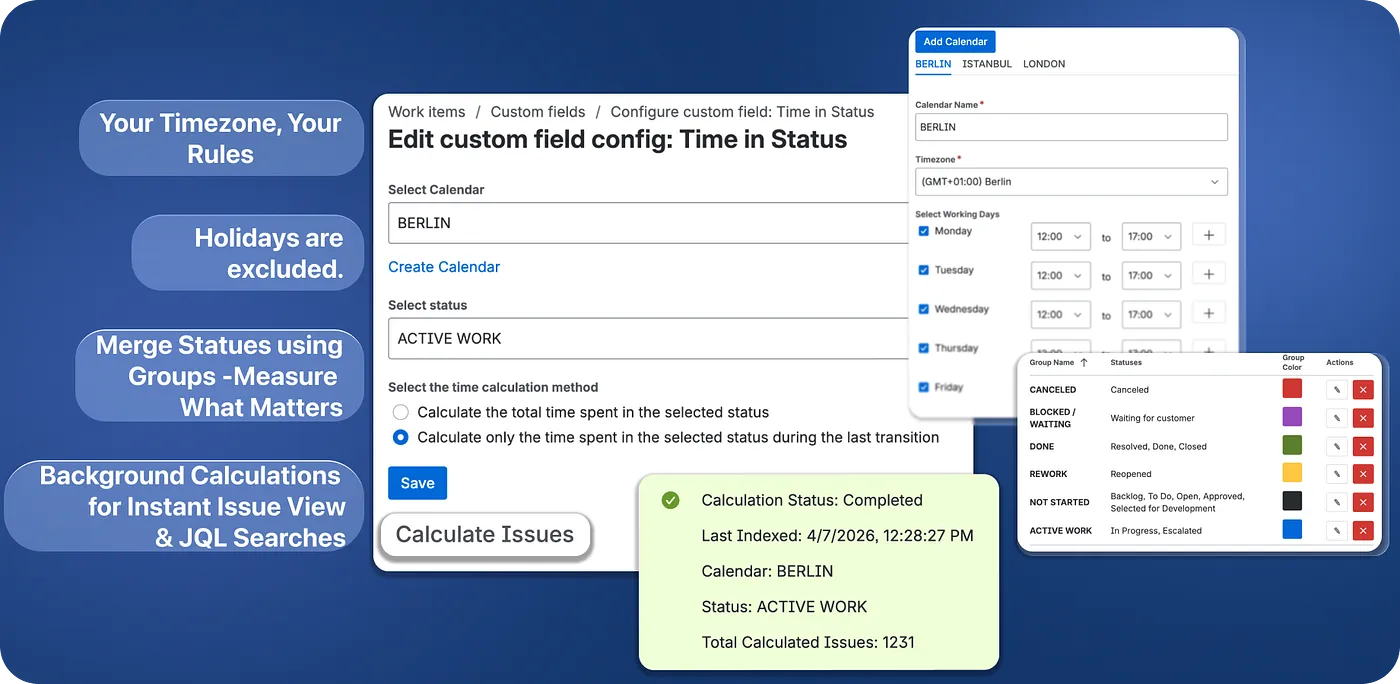
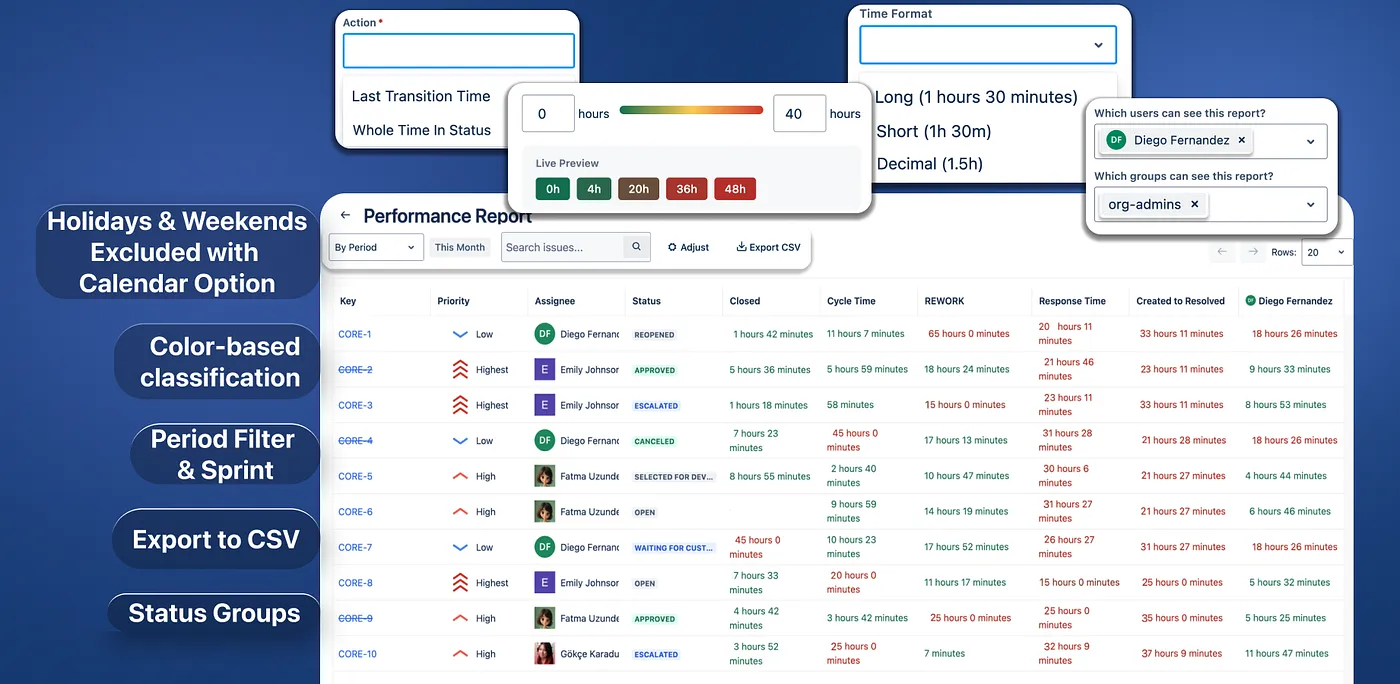
Sometimes you don’t care about one specific status, you care about a stage. “How long was this in review?” usually means Code Review plus QA plus Waiting for Approval, all added together. Status Groups let you do exactly that: bundle related statuses into one named, color-coded category and track it as a single unit. Now “review time” or “blocked time” becomes one clean number instead of something you have to piece together by hand and it flows straight into your fields and reports.
Reports
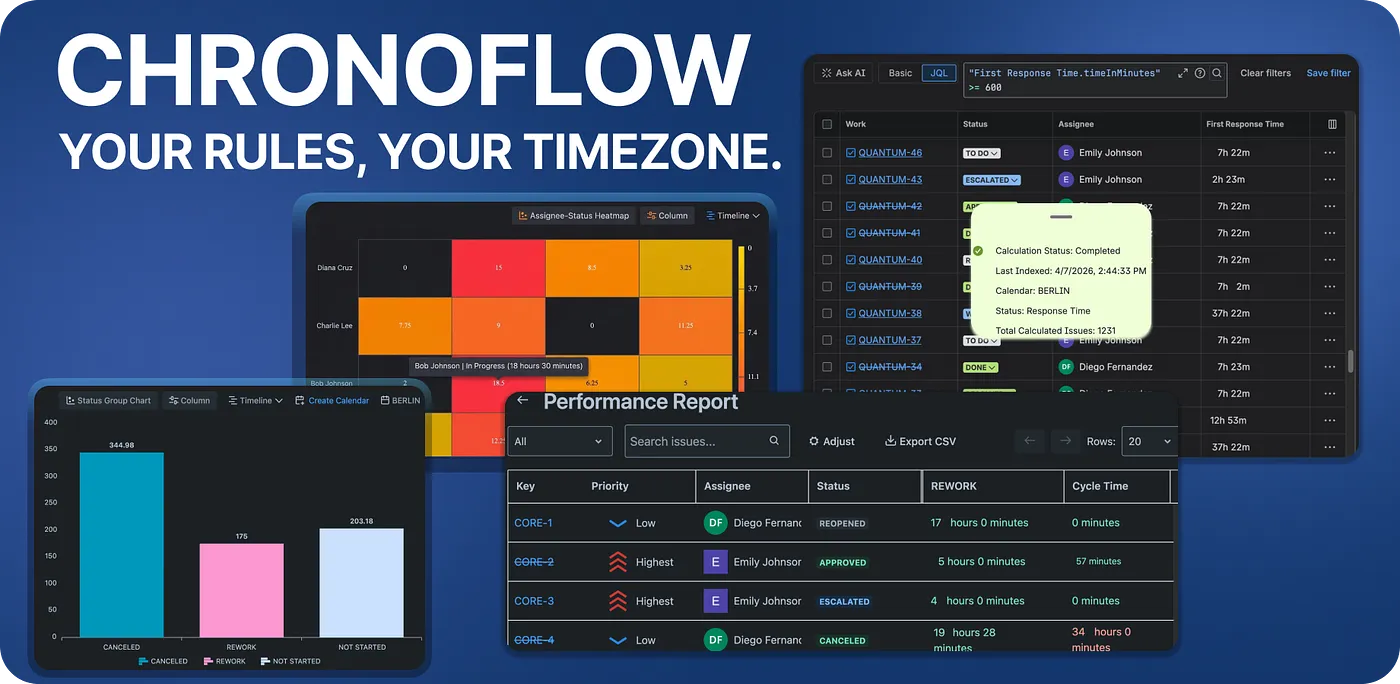
Pick your issues with JQL, choose a time period, this week, last month, a custom range, or even a specific sprint and ChronoFlow lays it all out for you. See total or average time per status, per assignee, or by ready-made metrics like Lead Time, Cycle Time, and Response Time. View it as a bar or pie chart, turn on color grading so slow spots glow red and healthy ones stay green, and export the whole thing whenever you need to. Reports don’t have to be local to you: save and share them with the right people, so your whole team is looking at the same truth.
Issue View
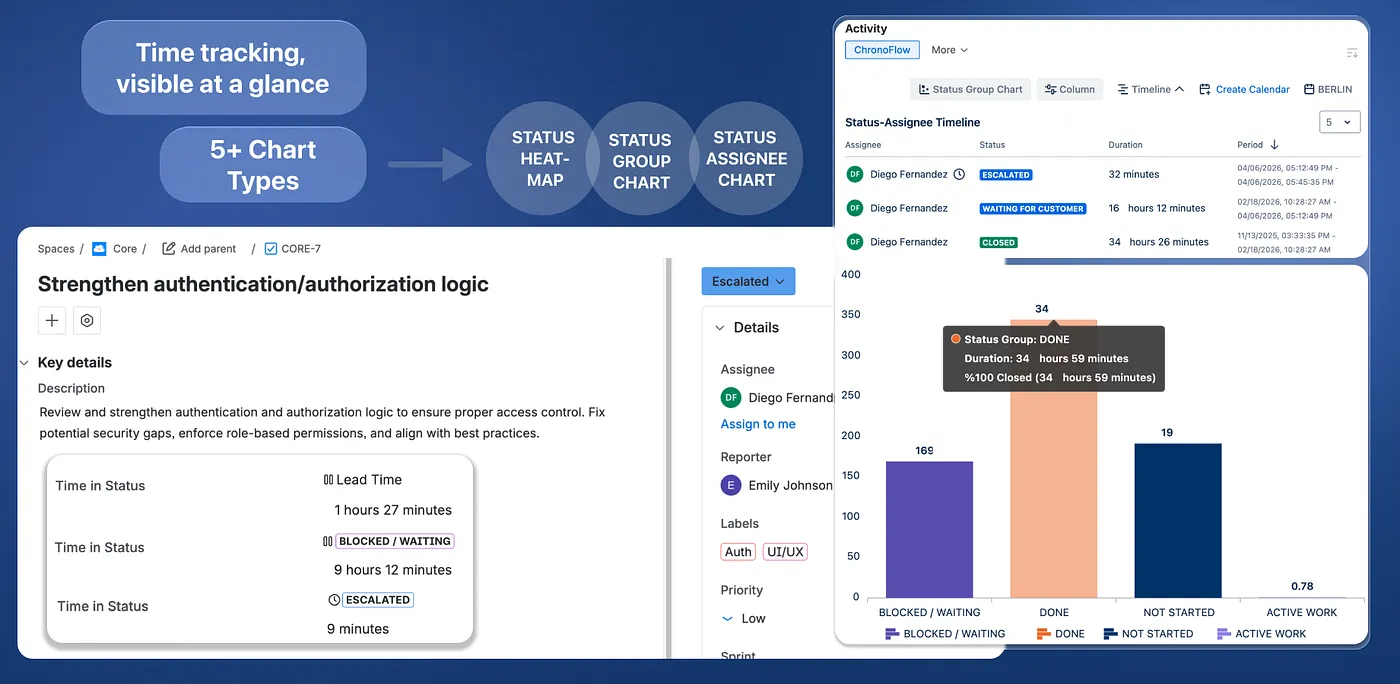
Click into any issue and ChronoFlow gives you the full timeline of that single issue. You’ll see exactly how long it spent in status on the issue. And it’s not just numbers: rich charts turn that history into a picture you can read in seconds. See the time split across statuses, how long each assignee held the issue, or a timeline of how it moved from one stage to the next. Instead of scrolling through the history log trying to piece the story together, you get the answer to “what actually happened with this issue?” at a glance.
ChronoFlow Agent
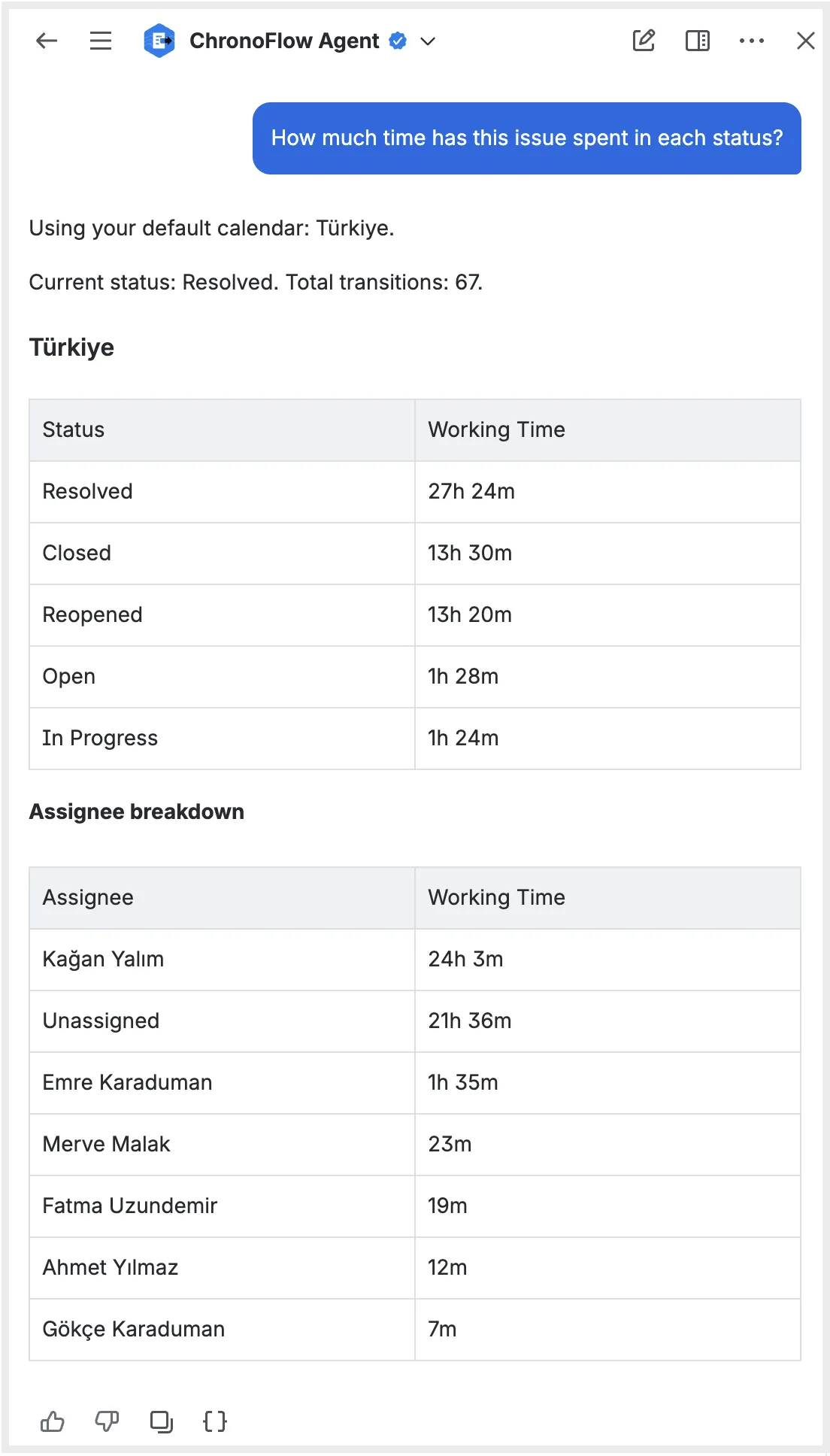
Not everyone wants to build a report, sometimes you just want an answer. ChronoFlow includes an AI agent built right into Jira, so you can ask in: “How long has this issue been in review?”, “Show me the time breakdown by assignee for last sprint,” or “Build a report for all open issues in the Payments project.” It understands what you mean, respects your working calendar, and can even remember your default calendar so you never have to repeat yourself.
Try ChronoFlow on the Atlassian Marketplace and see where your work really spends its time.