Press Calculate Once: Time in Status That Keeps Itself Up to Date
Most time in status tools work out the number the moment you open the report, which means it disappears the moment you close it. ChronoFlow stores it on the issue instead: it backfills every existing issue in the background, then keeps each value current on its own.
Have you ever found yourself asking: which of the things we are working on right now have been sitting still the longest?
You can find a close answer to this using most of the current “Time in Status” apps in the Atlassian Marketplace. Their workflows are very similar to each other. Open a time in status report, pick a project, wait for it to think, read the table. But the moment you close that tab, the answer is gone. This has several limitations:
- You cannot sort your backlog by it.
- You cannot write JQL queries using it.
- You cannot put it in a filter and give that filter to your team.
- You cannot drop it into a board column or a dashboard that refreshes itself on Monday morning.
- The number existed for as long as you were looking at it, and not a second longer.
That is not a flaw in any particular app. It is a consequence of how most of them work. They calculate on the fly, when the report renders. It is a perfectly good way to produce a report, and ChronoFlow does it too, so you can get an answer without configuring anything first.
But ChronoFlow can also do something else: put the number on the issue as a custom field.
The value has to live somewhere
This makes a huge difference. A Time in Status custom field holds a real, stored value on each issue. Jira does not know or care that an app put it there. It behaves like every other field you already have, which is why it can appear in JQL, in the issue navigator, in a sorted column, in a dashboard gadget, in an export.
The catch, historically, is what it costs to keep a stored value honest. Somebody has to calculate it for every issue that already exists, and then somebody has to keep it current forever after. Most tools quietly decline both jobs and calculate on read instead.
ChronoFlow takes both jobs.
Configure the Custom Field Only Once
You configure the field the way you would configure any Jira custom field: pick the working calendar the calculation should respect, pick the status you care about, and decide whether you want the total of every visit to that status or only the most recent one.
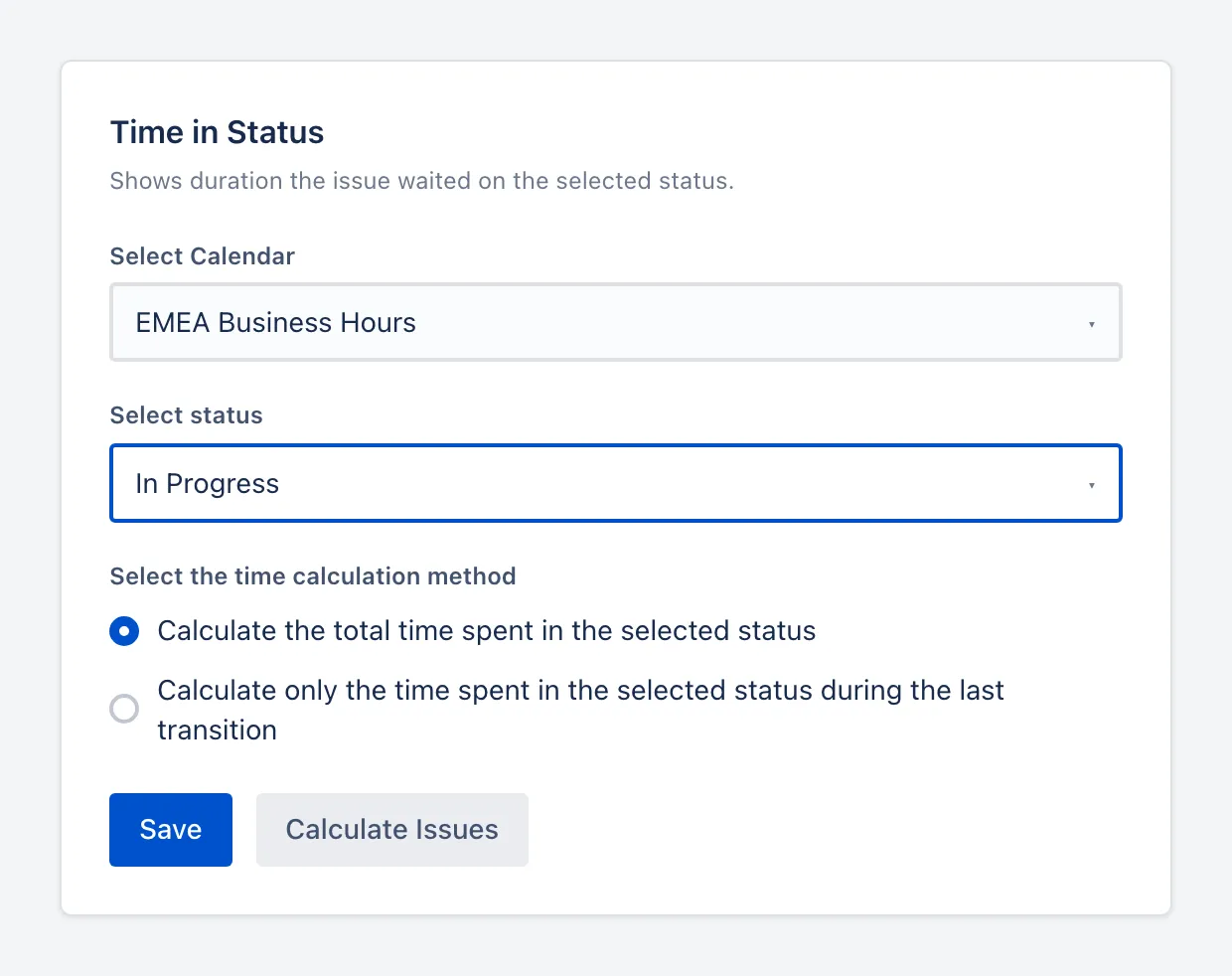
Then you press Calculate Issues. ChronoFlow tells you exactly what it is about to do and on which settings, because on a large site this is not a trivial amount of work and you should know what you are starting.
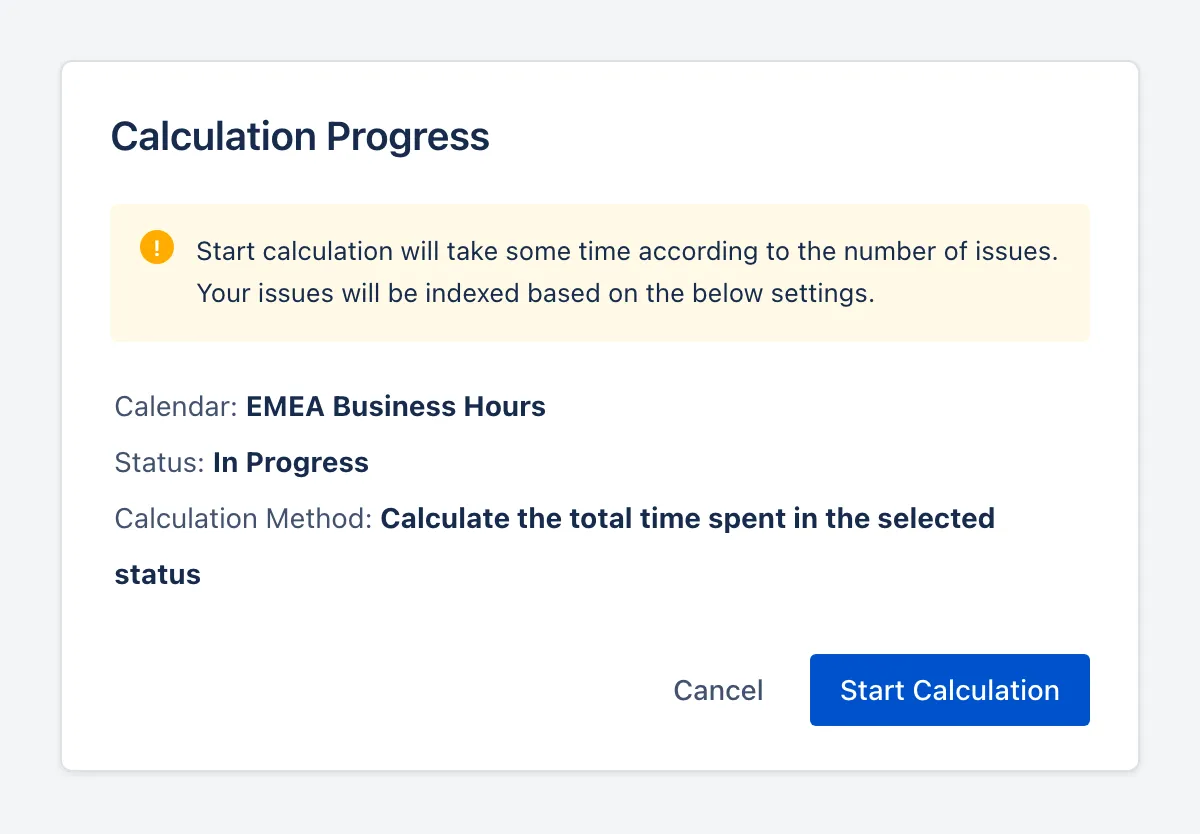
From there it works through every issue the field applies to (the projects and issue types you configured that field context for), reading each issue’s history, replaying its status transitions against your working calendar, and writing the result onto the issue. In the background. You can close the tab.
Background calculation
A backfill across a real Jira site takes a while. It reports what it has done so far, and it lets you stop and pick up later without losing the work already finished.
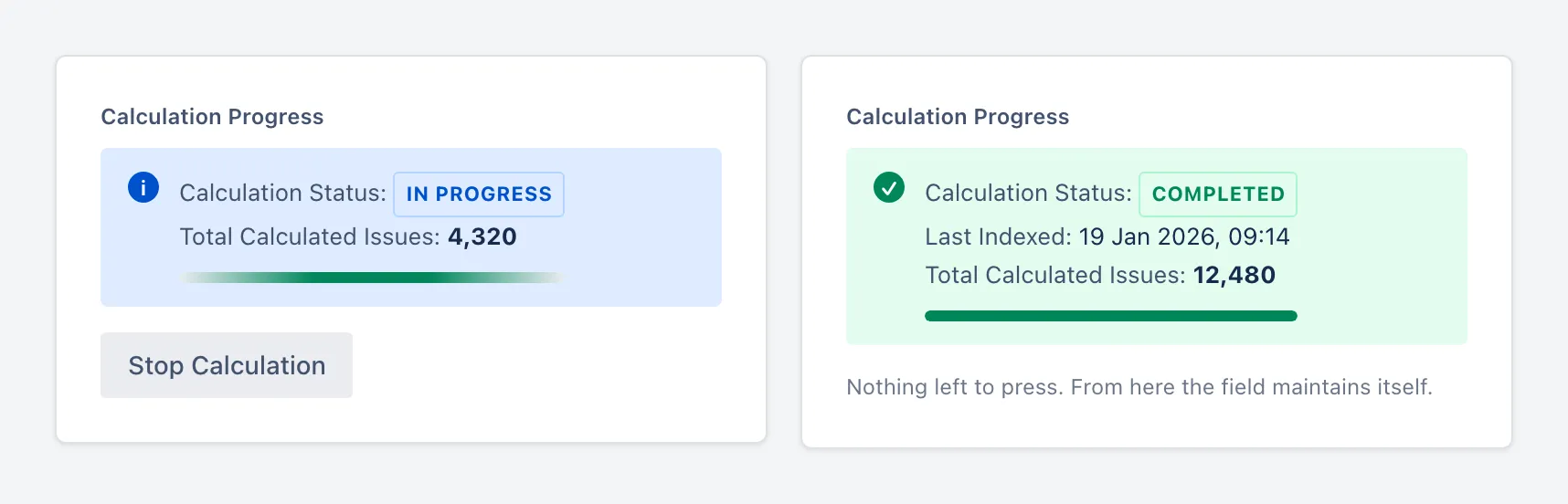
Bulk calculation is done only once
ChronoFlow recalculates whenever an issue changes, and it is fast: a status change wakes the app, and only the fields affected by that change are recalculated.
But reacting to changes is not enough, and the reason is almost philosophical: the issues you most want to know about are the ones where nothing is happening. An issue parked in Blocked generates no events at all. There is nothing to react to. Yet its clock is running, and every hour it sits there the stored number gets more wrong.
So ChronoFlow also sweeps. Every hour it finds the issues whose timers are still running and tops them up, whether or not anyone touched them. And because rate limits and transient failures are a fact of life on a busy Jira site, a second hourly job looks for any calculation that stalled and resumes it from where it left off.
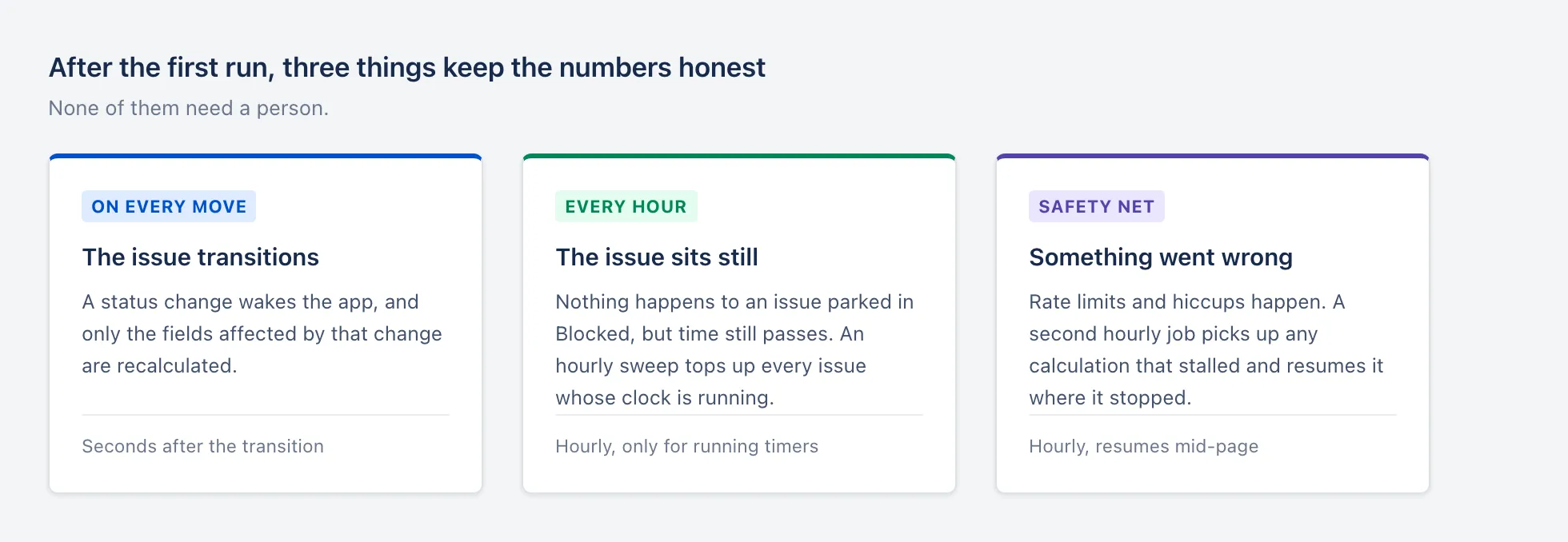
“ChronoFlow - Time in Status for Jira” app keeps the field up to date using three different autonomous mechanisms.
Because it is stored, Jira treats it like any other field
Once the value lives on the issue, everything Jira can already do with a field, it can do with this one.
You can query it. The field exposes whether its clock is currently running and how many minutes it has accumulated, so a filter like this is just a filter:
"Time in Status.running" = "true" AND "Time in Status.timeInMinutes" > 480That reads as: everything currently sitting in the status I care about, that has been there for more than a working day. Save it, share it, put it on a board, let it drive an automation rule.
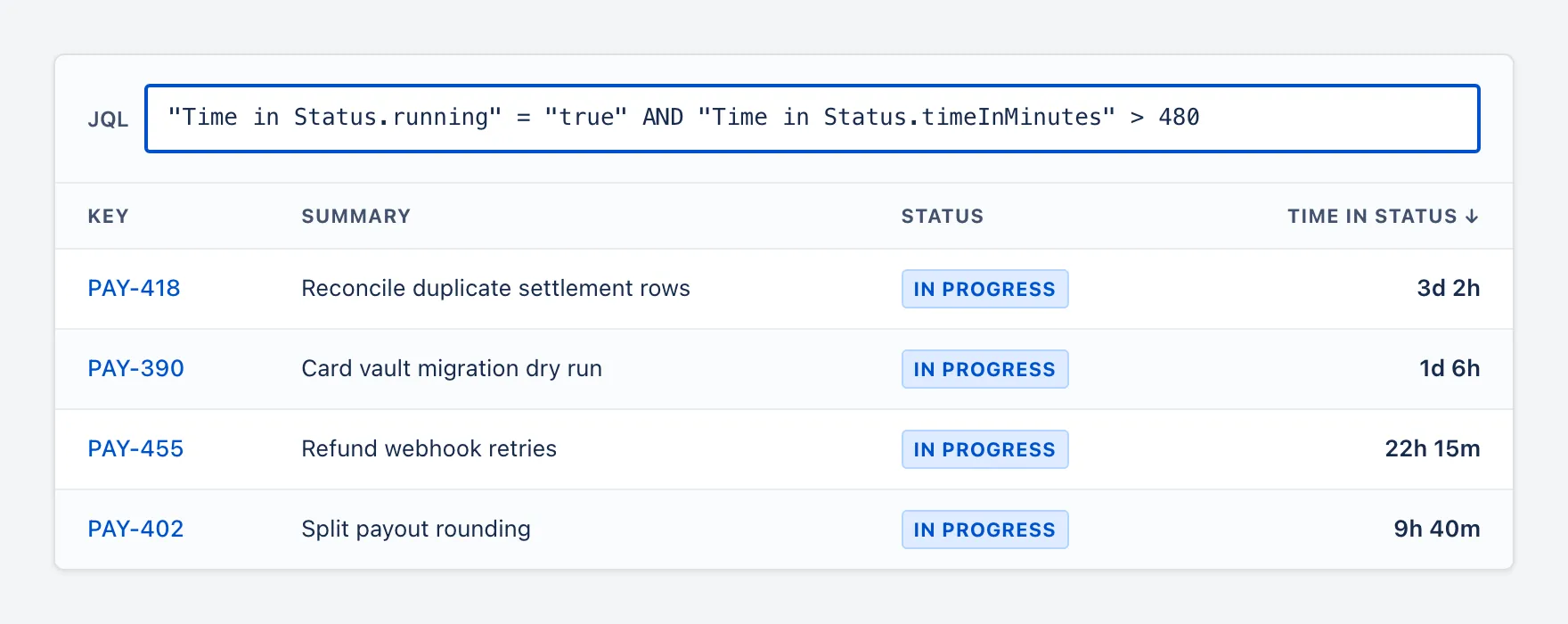
Add it as a column and sort by it, and your backlog reorders itself by how long things have been stuck. Point a dashboard gadget at it and the answer is waiting for you on Monday instead of being something you go and generate.
The short version
Reports that calculate on the fly are useful, and you should use them for exploring. But an answer you can only get by going and asking for it is not the same as an answer that is simply there.
Configure the field, press the button once, and let it run. Afterwards the time your work spends waiting is a normal Jira field: searchable, sortable, dashboardable, and always current, without anybody remembering to refresh anything.
Try “ChronoFlow - Time in Status” on the Atlassian Marketplace and stop asking your reports the same question twice. If you only need the custom field, without the report part we have you covered too, you can try our “Time in Status Custom Field” which provides all custom field related features of ChronoFlow as a separate app.