Tabular Combobox Custom Field for Jira: One Field, a Whole Record
See how the Tabular Combobox Custom Field turns a single Jira field into a real spreadsheet-style picker, so people choose a full record instead of a single label.
A standard Jira single or multi-select field stores a label. It can hold “Whitmore & Locke” as an option, but it can’t carry the plan, the account manager, and the renewal date that belong with it. To keep those on the issue you end up with three or four separate fields kept in sync by hand, and hand-kept fields drift apart.
The Tabular Combobox Custom Field for Jira replaces the list of labels with a real table built on the field itself. An admin adds columns (Client, Plan, Account Manager, Renewal Date, whatever the team tracks) and one row per record, like filling in a spreadsheet, with no separate database to wire up. On an issue, people pick whole rows: tick Whitmore & Locke and its plan, manager, and renewal date come along, not just the name.
On the issue, the field opens as a checkbox list of every row, and whoever’s working the ticket ticks the one (or several) that apply.
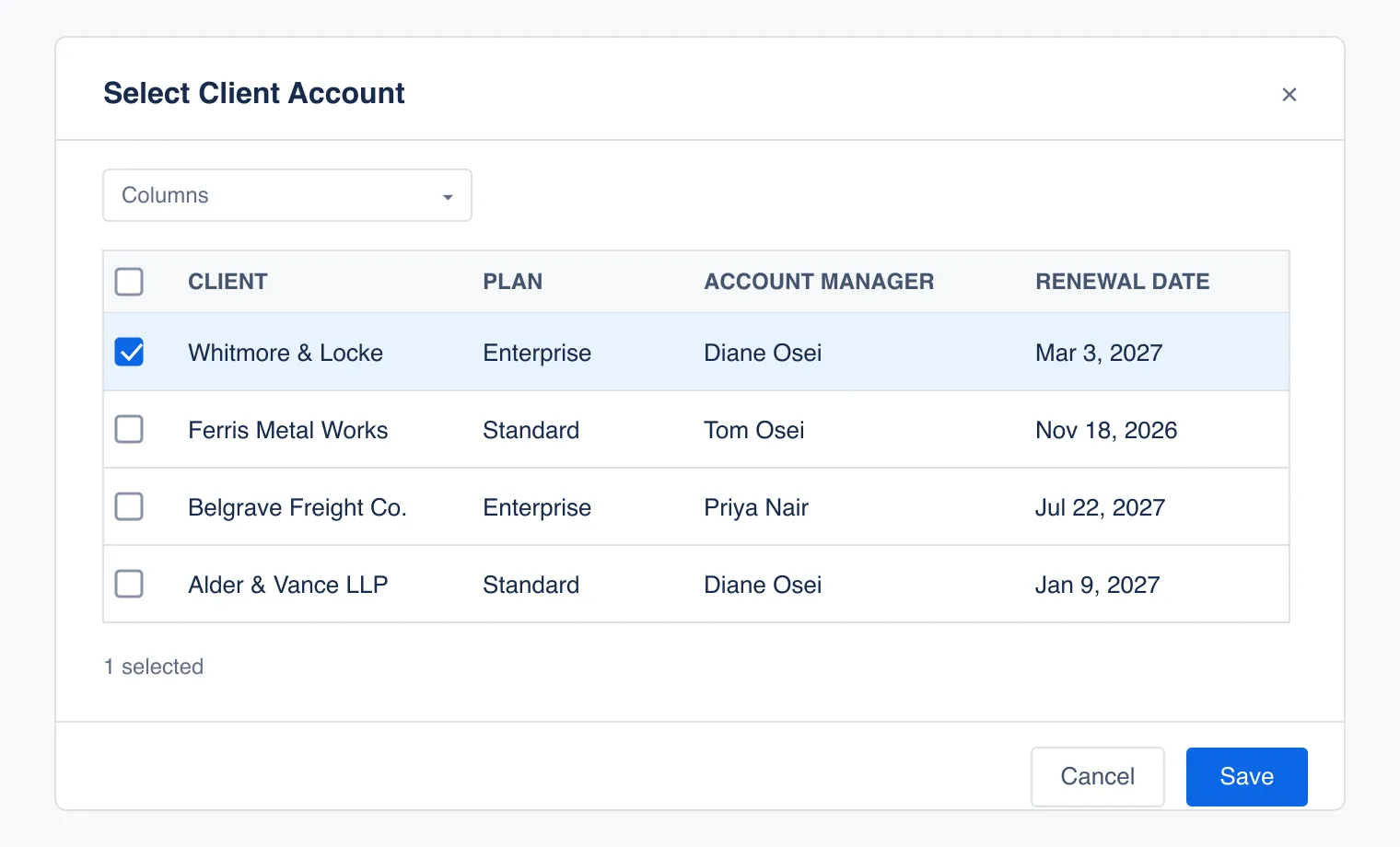
How many rows someone can pick is a setting. Lock the field to a single choice for tickets that should only ever point at one account, or leave it open for one that legitimately touches several.
What shows on the issue depends on how many rows got picked. Pick exactly one, and the field displays it as a clean, labeled block, each column name sitting over its value. Pick more than one, and the same field switches to a compact table, every picked row lined up side by side.
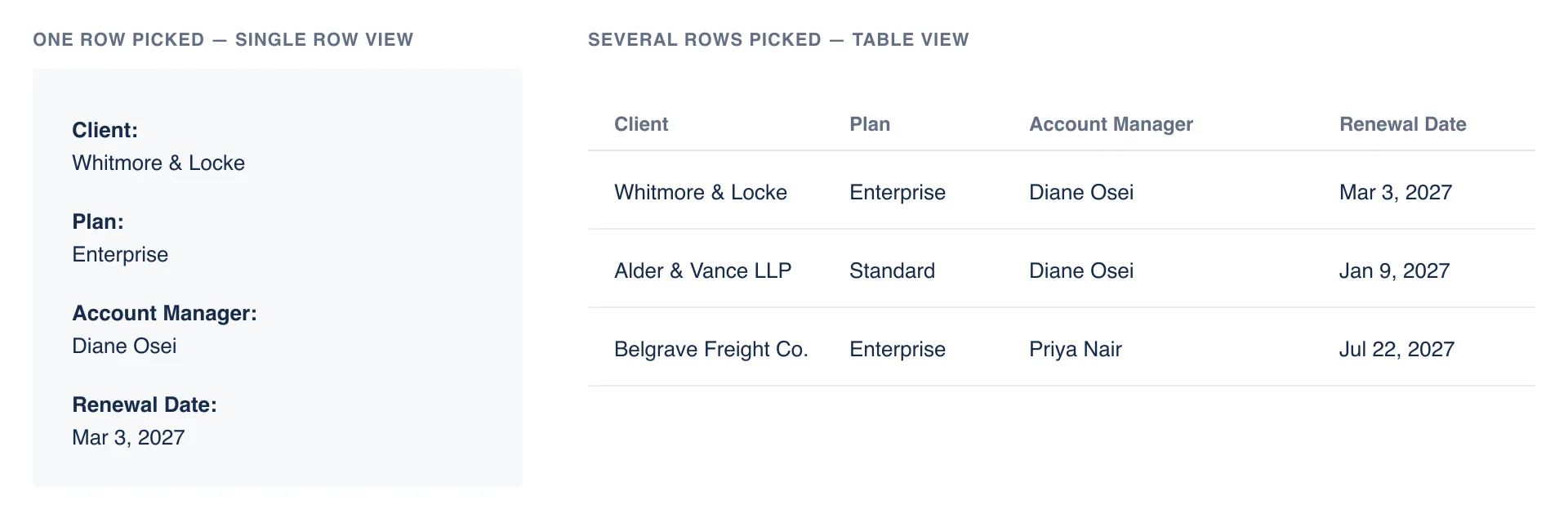
In practice: an agent gets a Whitmore & Locke ticket, ticks that row, and saves. The issue now shows Plan: Enterprise, Account Manager: Diane Osei, Renewal Date: Mar 3, 2027. If the ticket later touches a second account, ticking that row too flips the field to the compact table.
Instead of a single label, the whole dataset is associated with the issue. Changing the row details in the field definition, automatically displays new row details on the all issues. Later posts in this series cover color-coding rows, hiding columns different people don’t need, filtering and sorting a long table, and moving bulk data in and out with CSV.
Try the Tabular Combobox Custom Field on the Atlassian Marketplace and see what a Jira field looks like when it can hold more than one column’s worth of truth.