Visualizing Database Interactions for Use Cases
A database diagram shows tables, but what runs in production is a use case, and a use case writes to several tables at once. Before we design a database schema we build a page that shows those writes on one screen, so we can see how the database handles that operation.
A database schema review usually means looking at a diagram: the tables, the foreign keys, whether a column can be null. That tells you the tables are right. It does not tell you what happens when a customer performs an action, like placing an order.
A use case like that writes to several tables at once, and once the application is written those writes are split across a service method, a hook and an ORM cascade. There is no single place to look at them together.
So we build one before designing the database. There is no database behind it: every table is a JavaScript array and every use case is a button. Clicking one shows which tables it wrote to, green for inserted, amber for updated, red for deleted.
A sample use case
The example here is a small shop. A user has several address rows and one of them is the default. A product has stock. An order belongs to a user and ships to an address, and an order_item links an order to a product. The shop already has a catalogue, so product starts with rows in it.
Signing up writes one row to user and one to address.
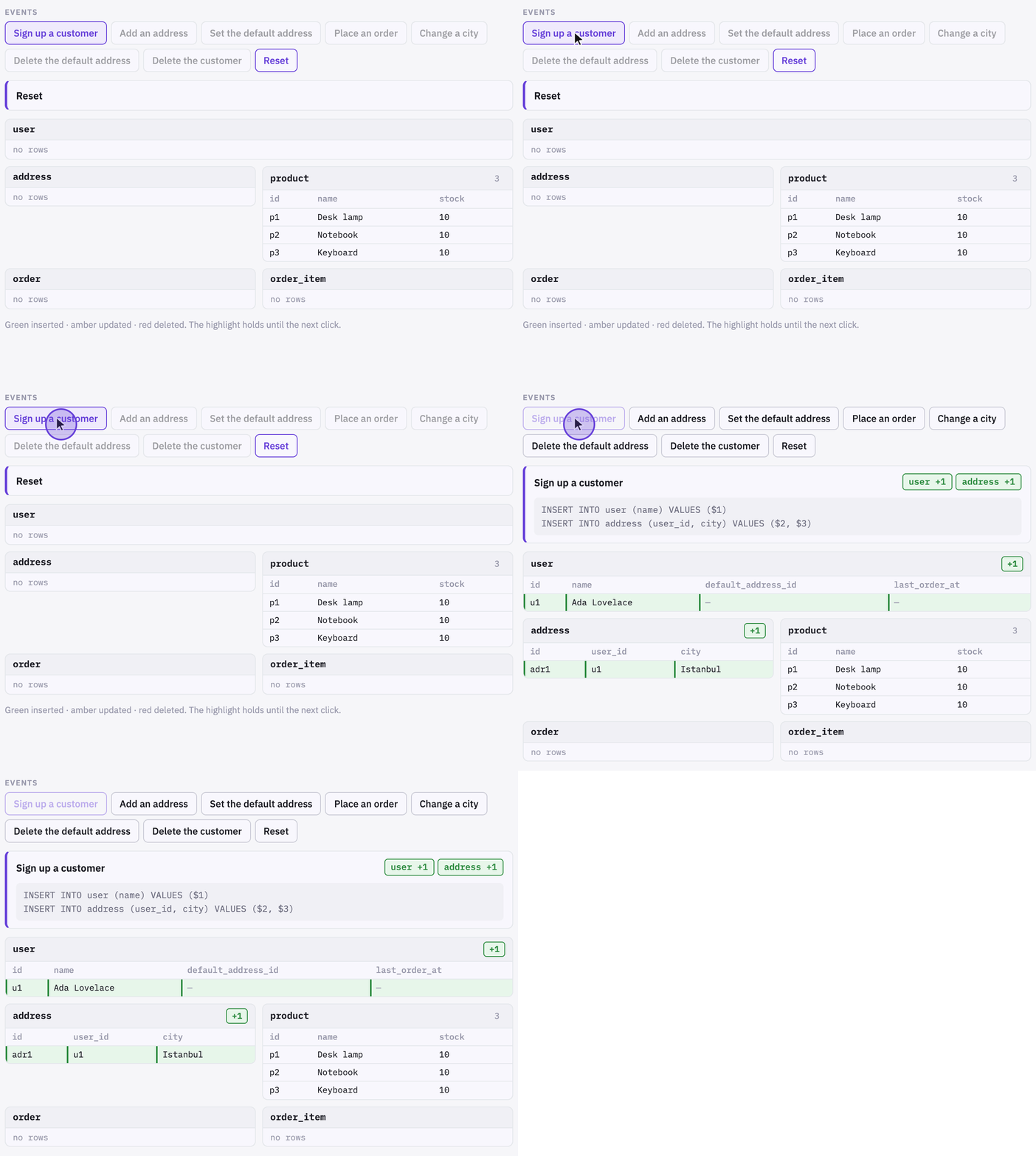
user, one in address.Placing an order
Placing an order inserts one row into order and three into order_item, one per line. It also updates three product rows to take the stock down, and updates the user row to set last_order_at.
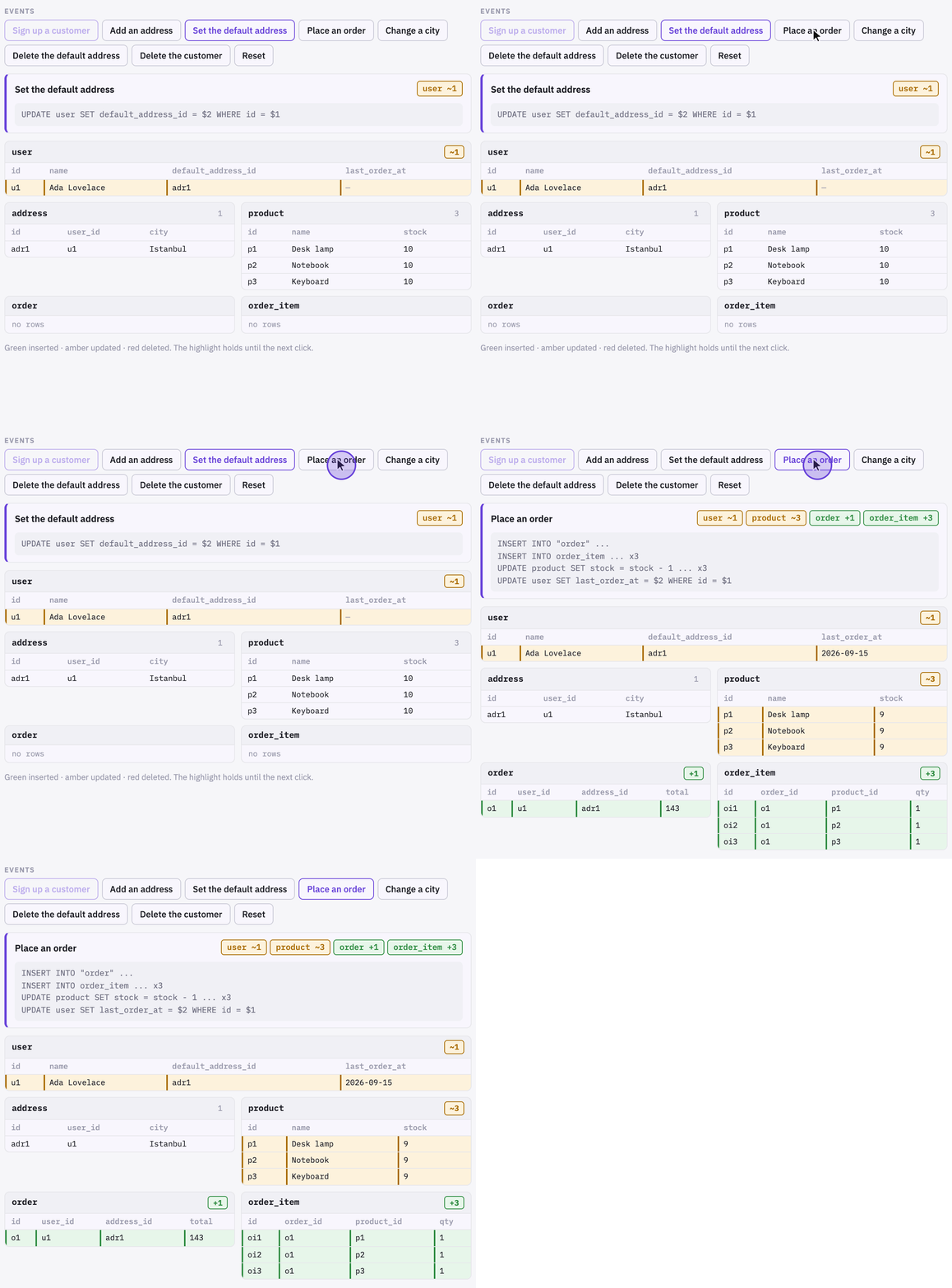
The stock updates land on whichever products are selling, so the popular ones get written to most often. The last_order_at update means every checkout writes to the user row as well.
Both are ordinary decisions. We would rather make them deliberately than discover them later.
The list of tables is the other thing we read. A use case that touches too many of them tells us the schema is wrong for that use case, and the answer is to model that part differently rather than accept the writes.
Deleting
Deleting the address a customer had set as their default removes the address row and updates the user row, because default_address_id would otherwise point at a row that is gone.
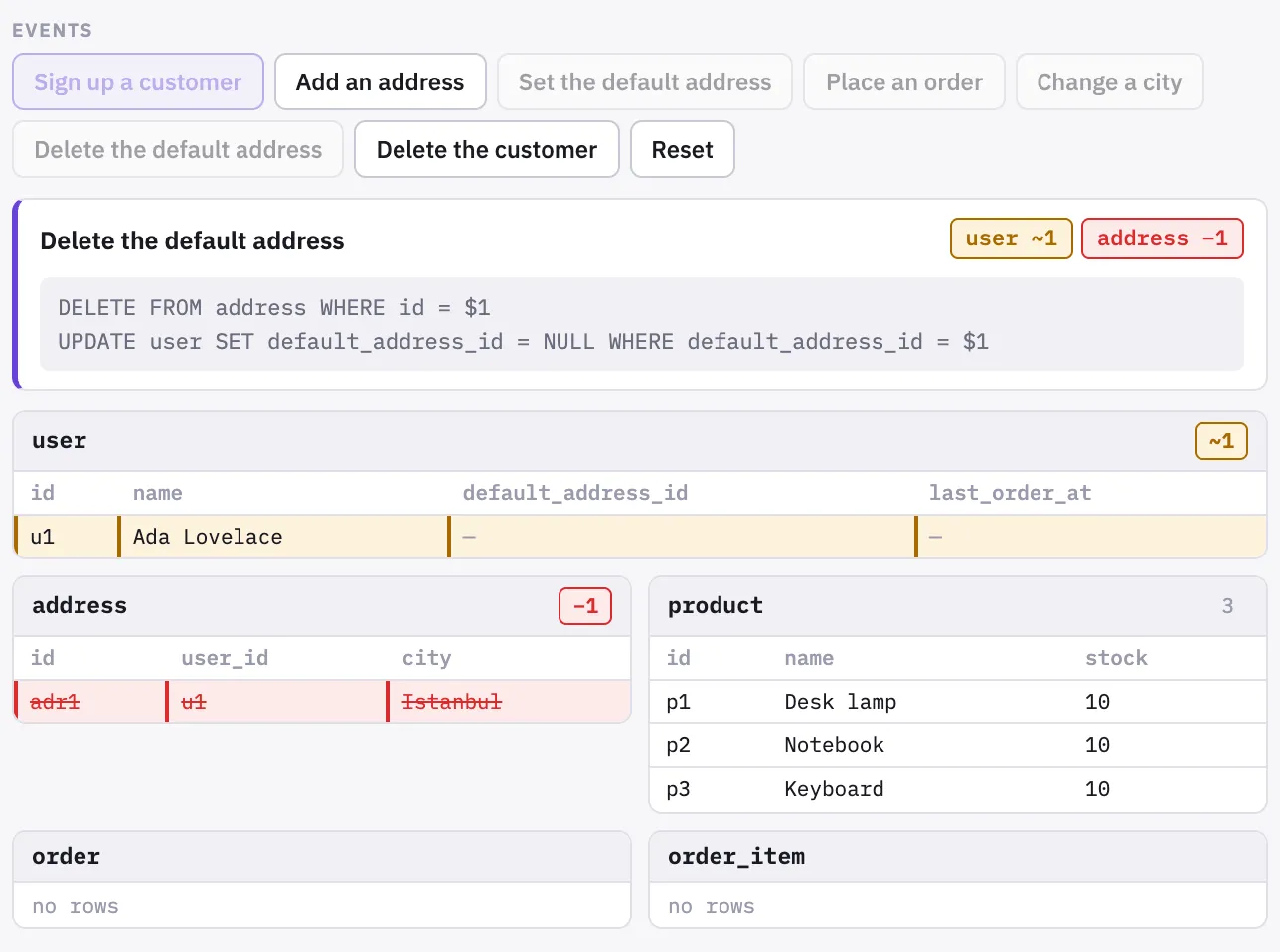
Deletes tend to be designed last, and they are the ones that turn up as foreign key errors on screens nobody connected to addresses.
Why we do it
Writing the handler is what forces the questions. To write “place an order” you have to decide whether stock comes down at checkout or when the order ships, and whether user needs a last_order_at column at all. These questions normally come up much later, while the application is being written. By then the schema is fixed, and the answer has to fit it.
We built the first of these for Guardese, the compliance product whose branch workflow turned up in our post on keeping a stack of pull requests in sync. One use case there wrote dozens of rows across four tables, which was more than we wanted from a single event, so we implemented a different schema for that part of the model. That happened before any migration was written.
What AI changed
A page like this used to be hard to justify. It has no users, it isn’t part of the product, and nobody outside the team ever opens it. Writing the tables, the buttons, the highlight states and a fake ORM by hand takes real time, and you spend all of it before the first migration exists.
So on an existing codebase you traced it by hand instead. You opened the service method, followed it into the hook, worked out what the ORM cascade did, and kept the list of touched tables in your head. It is slow, it is easy to miss a write, and you do the whole thing again every time the code moves.
That isn’t what it costs now. There is no database, no framework and nothing to persist: a few arrays, a button per use case, and a function that marks the rows each one touched. Describing the schema to a coding agent is most of the work, and the first version runs in about the time it would take to draw the same thing on a whiteboard.
Tools like this have always been useful and rarely worth building, so the calculation almost always came out against them. Drop the build cost far enough and it comes out the other way, and the tool you would have skipped becomes the cheapest way to answer a question.