Managing Multi-Component Releases in Jira with Bundles
Jira's Fix Version field works well for a single deployable component, but a release that spans three components at three different version numbers has nowhere to live. Bundles hold all of them, and an auto-calculated field tags the issues without anyone touching it.
Jira’s Fix Version field works well when your product is a single deployable component. But when a release includes multiple components, each with its own version number, it becomes harder to track them as one release.
A robotics company, for example, might ship firmware 4.2, a fleet management service 2.9, and a mobile app 1.14 on the same day. Jira’s standard version tracking doesn’t let you group those component versions under a single release.
Bundles, part of the Software Configuration Management Toolkit, let you do exactly that by bringing multiple component versions together in one release container. Instead of keeping the relationship in a spreadsheet or relying on a shared release name, you represent the release directly in Jira.
What a bundle holds
Creating a bundle starts with the usual release information: a name, description, start date, and release date.
The useful part of a bundle is what comes underneath: component versions.
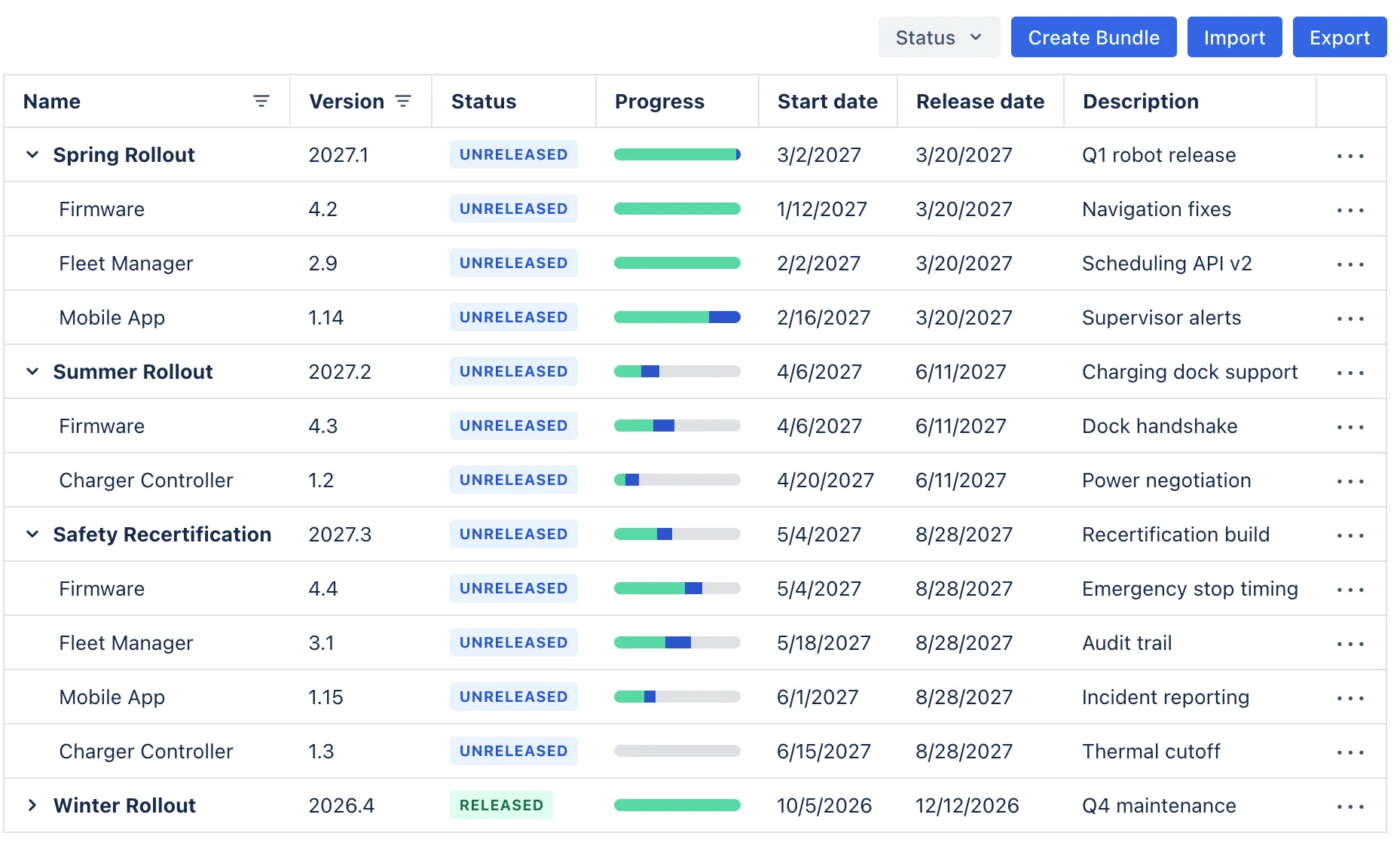
Each entry pairs a component with a specific version. A bundle can contain as many of these pairs as the release requires. For example:
- Firmware 4.2
- Fleet Manager 2.9
- Mobile App 1.14
On the Bundles page, these appear underneath the release in a tree grid. Each component version has its own status and progress bar, showing the number of linked issues that are complete and the number that are still open.
Two ways to associate an issue with a bundle
The toolkit provides two custom fields for this, depending on how you want the relationship to work.
The Manually Selected Bundle Field is straightforward. You select a bundle directly on the issue, similar to selecting a fix version. Once selected, the value can also be used in JQL to find issues associated with that bundle.
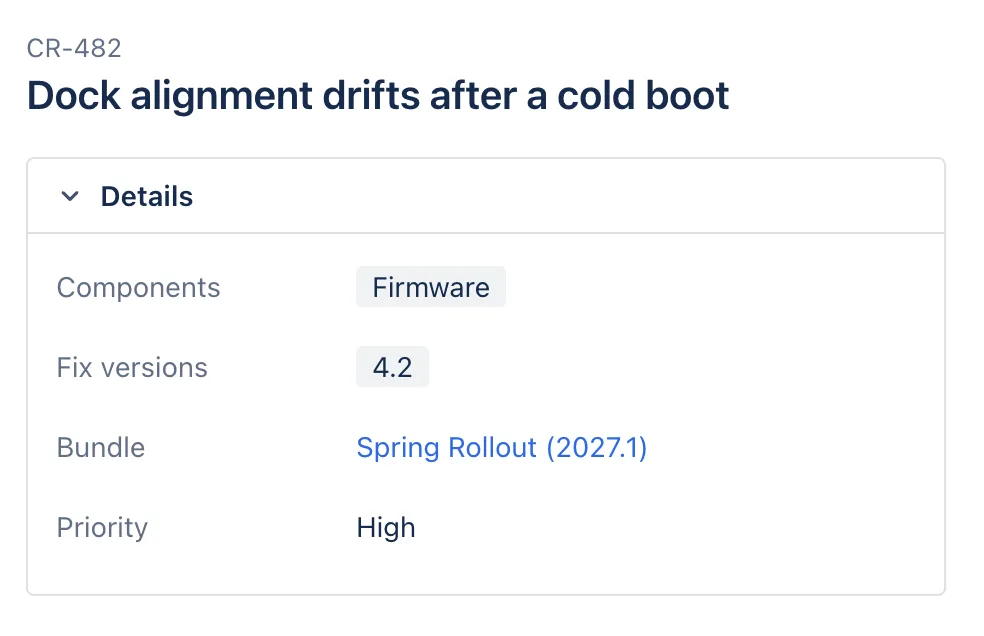
The Auto Calculated Bundle Field works differently. When creating the field, you choose which version field it should use: Fix Version, Affects Version, or a custom version field.
The field then looks at two things on the issue:
- The component
- The selected version
It uses that combination to find matching component versions inside your bundles.
For example, an issue carrying Firmware as its component and 4.2 as its fix version resolves straight through the bundle it belongs to: Firmware 4.2 → Spring Rollout (2027.1).
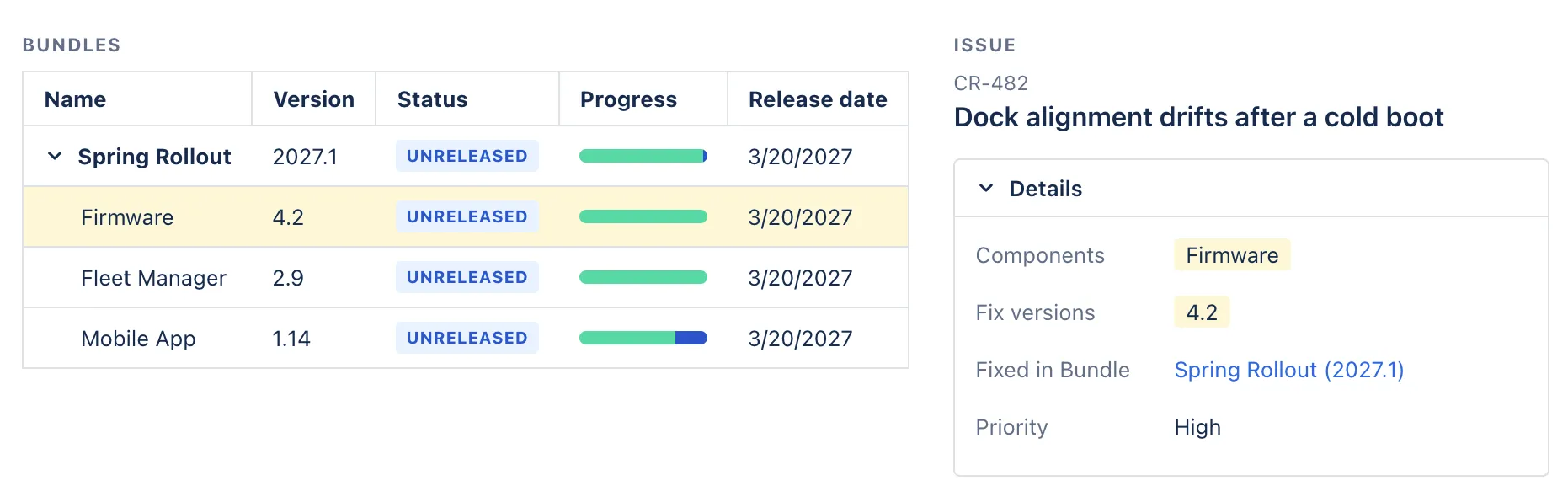
Because the value is calculated rather than stored on the issue, the field is read-only. It appears on the issue view and can be added as an Issue Navigator column.
This also means you don’t need to update issues when the release structure changes. If Firmware 4.2 moves from one bundle to another, issues using Firmware 4.2 automatically reflect the new bundle.
Shipping the release
Releasing a bundle is a separate step from editing it.
When you’re ready to release, the release dialog lets you set the final start and release dates.
The component-version progress bars provide the status before you get there. If one component still has open issues, that is visible directly on the bundle instead of requiring someone to check each component separately.
A three-component release
Consider a warehouse robotics product with three independently versioned parts:
- Robot firmware
- Fleet management backend
- Mobile app
For a release called Spring Rollout, the team creates a bundle with version 2027.1, a start date of March 2nd, and a planned release date of March 20th.
They then add:
- Firmware 4.2
- Fleet Manager 2.9
- Mobile App 1.14
During development, engineers continue using the normal Jira fields. An issue for the firmware gets Firmware as its component and 4.2 as its fix version. The same happens for issues belonging to the other components.
The bundle relationship is calculated from those values.
By March 19th, the bundle might look like this:
- Firmware 4.2 → 76/76 issues done
- Fleet Manager 2.9 → 30/30 issues done
- Mobile App 1.14 → 9/12 issues done
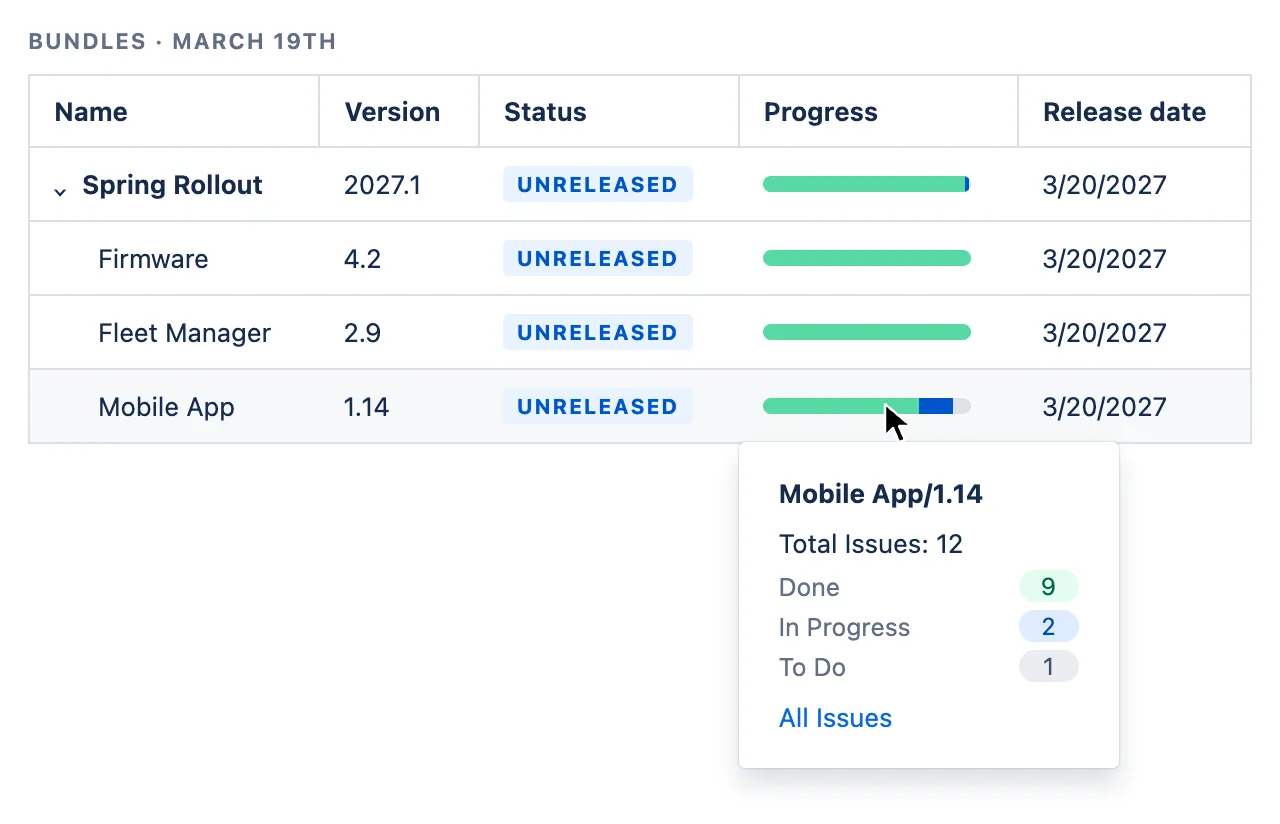
The release isn’t ready yet because three mobile app issues are still open.
Once those issues are completed, the team can release the bundle.
The result is one release containing three independently versioned components, while the individual issues can continue using Jira’s existing component and version fields.
This is the first post in our CMTC Deep Dives series. Bundles are one part of the broader configuration model in the Configuration Management Toolkit, alongside features such as Subprojects and Project Attributes.
If your multi-component release process currently lives in a spreadsheet next to Jira, you can take a look at the Software Configuration Management Toolkit on the Atlassian Marketplace.