Automatically Sum-up Jira Issue (Work Item) Field Values
Somebody on your team is doing this right now: opening an Epic, clicking into every Story underneath it, writing down a number from each…
Somebody on your team is doing this right now: opening an Epic, clicking into every Story underneath it, writing down a number from each one, and adding them up in a notes app or a spreadsheet tab nobody else can see. Maybe it’s story points before sprint planning. Maybe it’s a budget field, tallied issue by issue so finance can ask “are we still under $20k on this?” Either way, the total lives in someone’s head or someone’s spreadsheet, and it’s already stale by the time anyone asks for it.
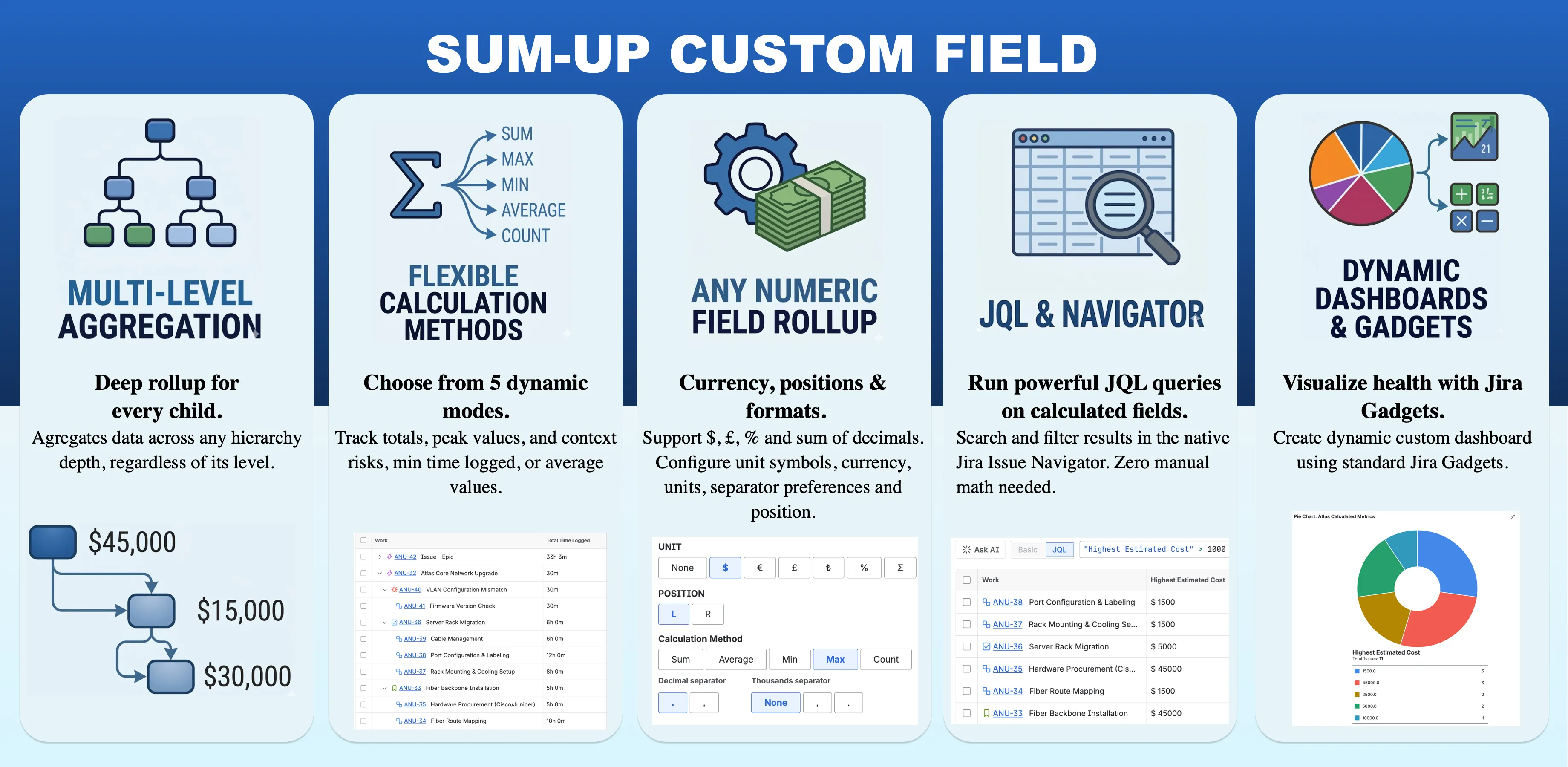
The Sum-up Custom Field for Jira exists to make this problem disappear. It’s a custom field you add to a parent issue type. Point at any numeric field from field configuration screen. It will calculated a sum-up value from every descendant issue underneath it, Sub-tasks, Tasks, Stories included, all the way up to the Epic or Initiative depending on Jira’s “Work Type Hierarchy Configuration”.
How the rollup actually works
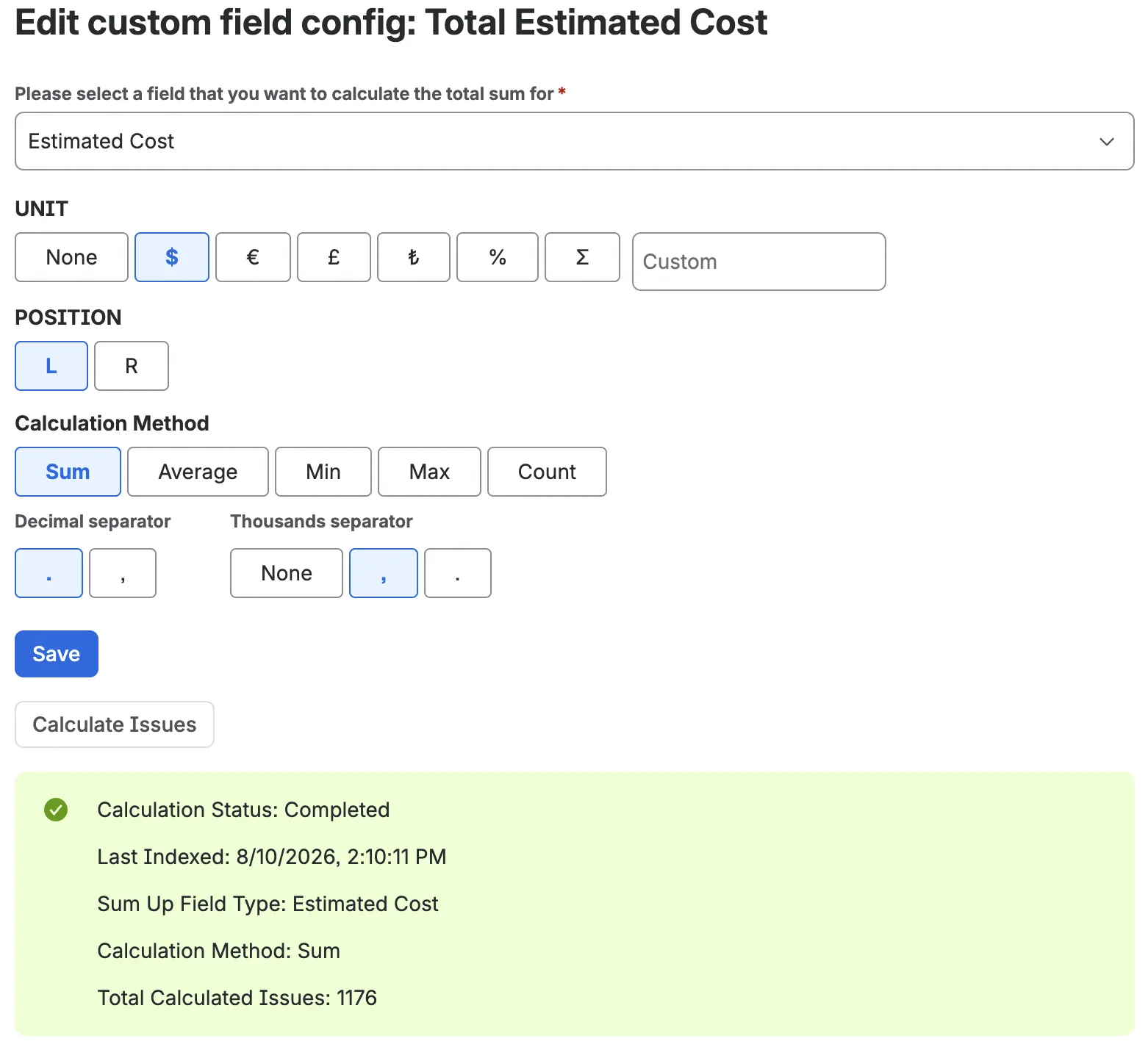
On the field configuration screen, pick which field to aggregate. It can be almost anything numeric Jira tracks: Story Points, Time Estimate, Time Spent, votes, watchers, or any custom number field your team has already built for cost, risk, or effort. You don’t touch code or write a JQL expression. You select the field type, and the Sum-up field starts walking the hierarchy underneath whatever issue it’s placed on, collecting every value it finds on descendants and totaling them.
That “walking the hierarchy” part matters more than it sounds. Most rollup approaches only look one level down, so a Story under an Epic gets counted but a Sub-task under that Story doesn’t. Sum-up Custom Field recurses all the way to the bottom of your hierarchy, whatever depth it happens to be, so an Initiative sitting three or four levels above the actual work still reflects every number underneath it.
Because the field isn’t only meant for counting things, formatting matters too. You can attach a unit, currency symbols like $, €, £, and ₺ are built in, along with % and a free-text option if your team uses something else. Also, you can choose whether it sits to the left or right of the number. Decimal and thousands separators are configurable as well, so a total reads as $12,450.00 for a US-based finance team and 12.450,00 € for a team that formats numbers the European way.
For issues that already existed before you added the field, there’s a Calculate Issues button that runs a one-time bulk pass and backfills the totals across your existing hierarchy, so you’re not stuck waiting for every open issue to be touched again before the rollup catches up. Even if you don’t run one time calculation for past issues (work items), it will automatically calculate the value every time issue is viewed on the issue view.
Watching it work: a EU expansion plan that was already over budget
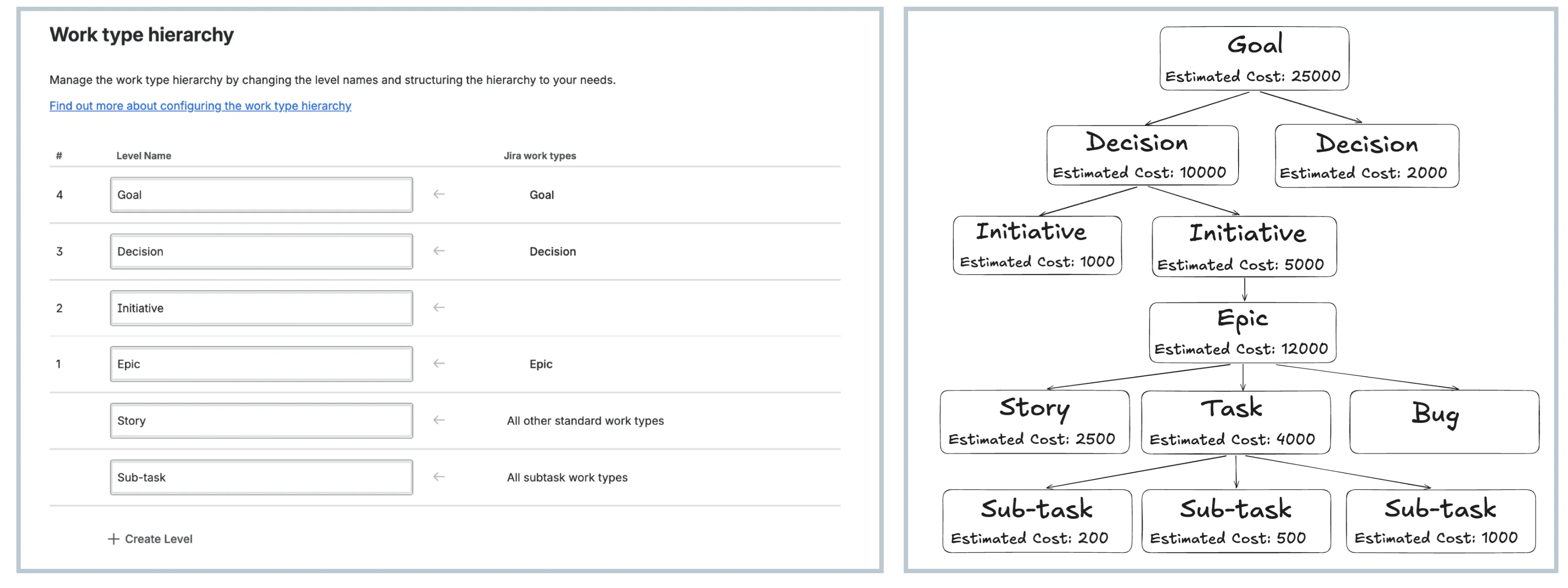
A team running its roadmap in Jira with three custom levels stacked above the standard issue types, Goal, then Decision, then Initiative, feeding down into ordinary Epics, Stories, Tasks, Bugs, and Sub-tasks. The Goal in question is “Expand into the EU Market.” Here’s how that Goal’s hierarchy actually breaks down, and what a Sum-up field pointed at Estimated Cost returns at every level of it.
Almost every issue in that tree carries its own Estimated Cost, entered directly on that issue, not computed from anything else: $200, $500, and $1,000 on the three payment Sub-tasks, $2,500 on the Story, $4,000 on the Task, $12,000 on the Epic, $5,000 and $1,000 on the two Initiatives, $2,000 and $10,000 on the two Decisions, and $25,000 on the Goal itself. The Bug never got one entered, which is fine, a field with nothing in it just contributes nothing. Before Sum-up Custom Field, getting from those eleven separate numbers to a single figure for the Goal meant opening every one of those issues by hand across six levels of hierarchy, something the finance lead only actually did once, right before the budget was approved.
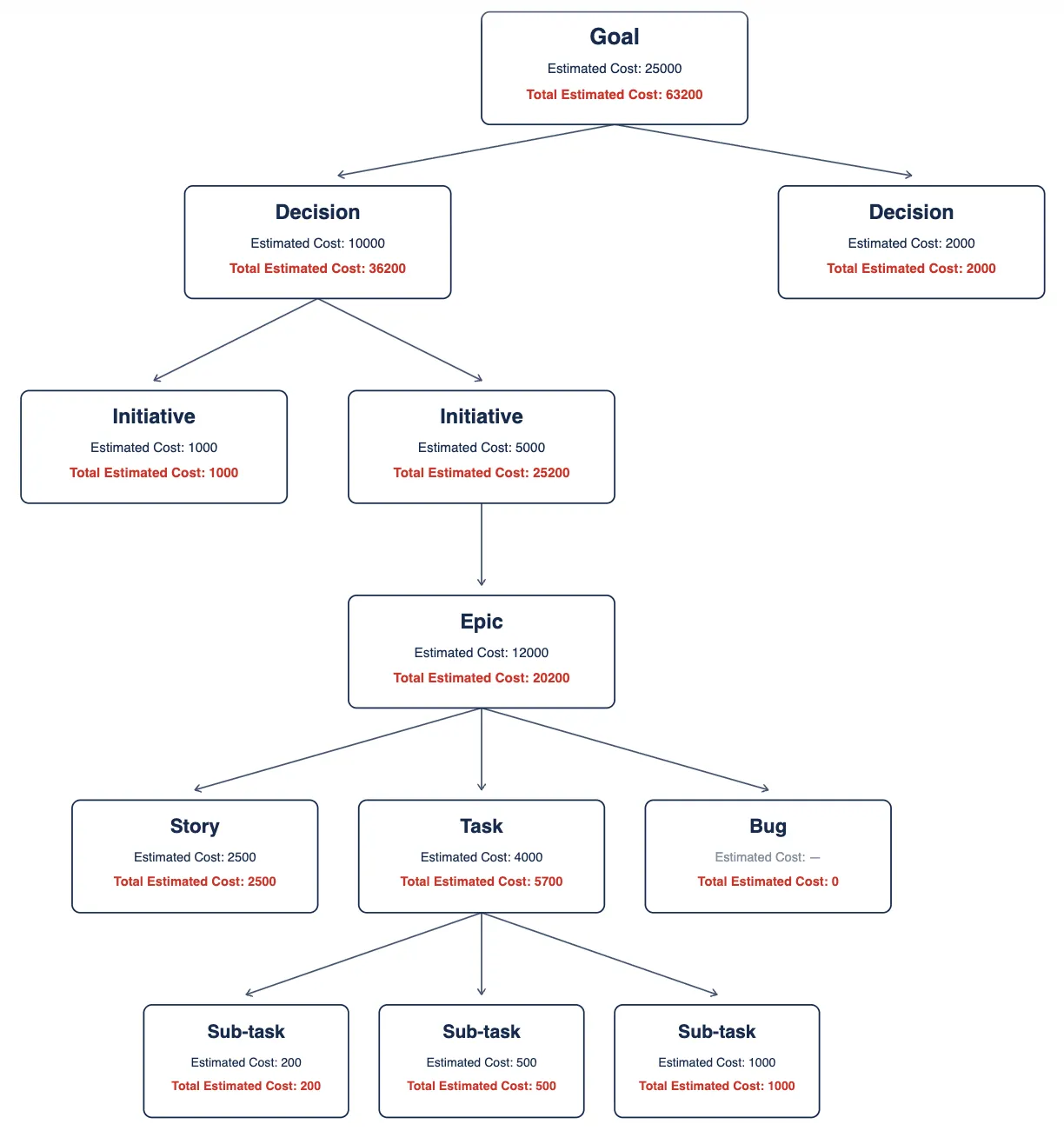
They created a Sum-up field called Total Estimated Cost, pointed it at Estimated Cost, and placed it on every issue type in the hierarchy, not just the Goal, so the same math shows up at every level: 200 + 500 + 1,000 + 2,500 + 4,000 + 12,000 + 5,000 + 1,000 + 2,000 + 10,000 + 25,000. The total came out to 63,200. Nobody added a single number by hand to get there, the field just walked the tree once and brought every value back up.
Query
Since this is a Jira Custom Field, it supports nearly all the features of a Jira Custom Field, such as JQL Query, Issue Navigator, Sorting, Exporting. For example, if you have a “Sum-up Invoice Amount” custom field for Epics, you can write “Sum-up Invoice Amount > 10000” to find all the Epics whose sum-up had exceed that threshold.
Beyond a plain sum
Sum is only one of five calculation methods available, and depending on what you’re tracking, it’s often not the right one. A separate post covers Average, Min, Max, and Count in more detail, along with using Sum-up fields in JQL and Jira Dashboard gadgets for live reporting, but it’s worth knowing upfront that a rollup answering “what’s our total cost” is a very different question from one answering “what’s our biggest single risk,” and the field lets you pick either without changing anything else about your hierarchy.
Try the Sum-up Custom Field on the Atlassian Marketplace and see what your Epics have been hiding.