Mastering Productivity: How to Implement GTD© in Jira with “Getting Work Done”
In our previous articles, we explored the core principles of the Getting Things Done (GTD)© methodology and introduced our new app, Getting…
In our previous articles, we explored the core principles of the Getting Things Done (GTD)© methodology and introduced our new app, Getting Work Done for Jira. Now, it’s time to bridge the gap: How do you actually run your daily GTD© workflow inside Jira?
Jira is a powerhouse for project management, but it can often feel like a cluttered warehouse of tasks. By using the Getting Work Done app, you can transform Jira into a streamlined GTD© system that clears your mind and focuses your energy.
Step 1: Capture Everything in Your Inbox
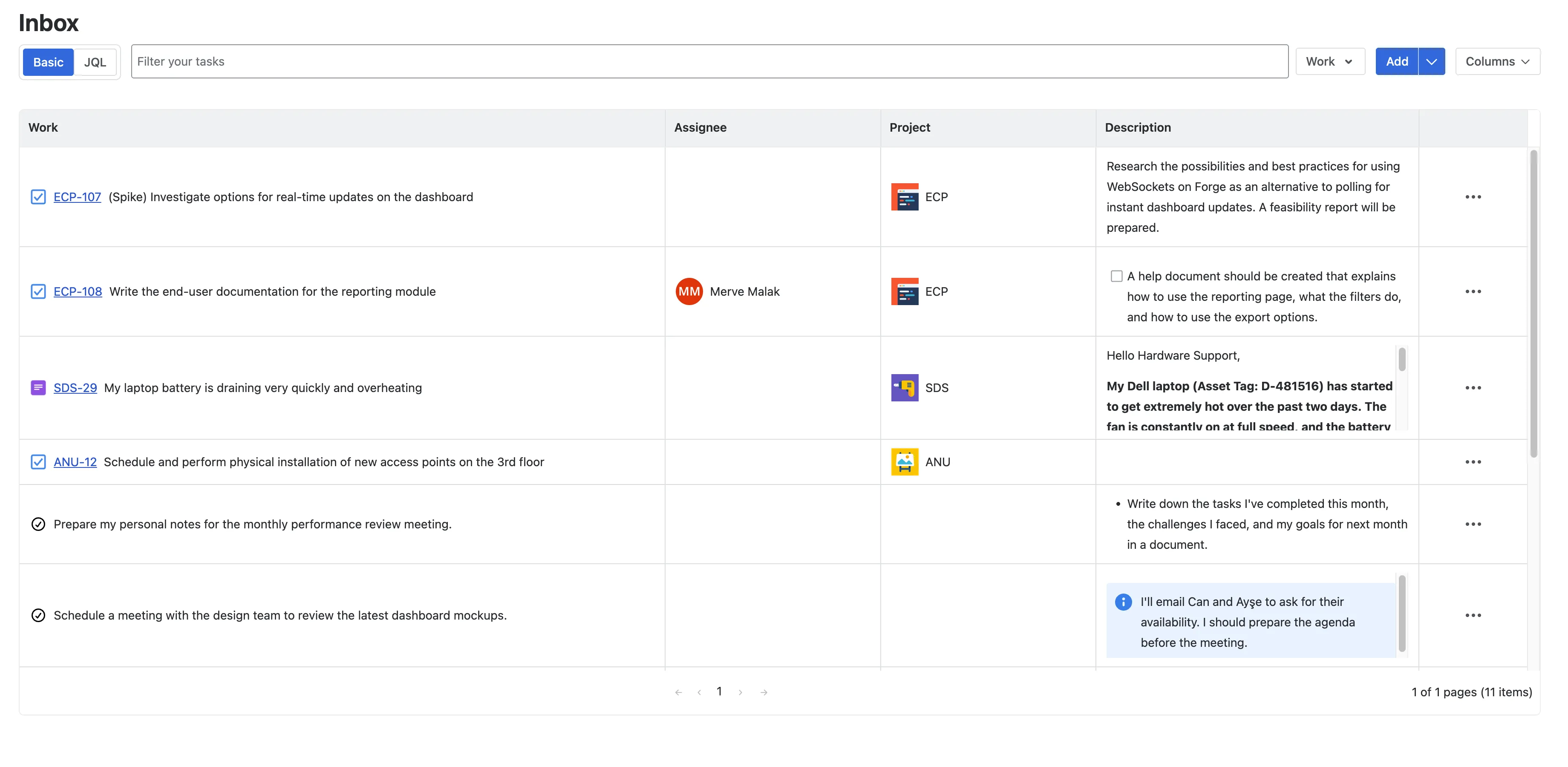
The golden rule of GTD© is: “Your mind is for having ideas, not holding them.” The first step is to capture every task, request, or fleeting thought into a trusted system.
In our app, the Inbox serves as your entry point. You have two powerful ways to clear your head:
- Work Items: These are standard Jira issues. You can pull existing tickets or create new ones that your team might see.
- Private Tasks: Sometimes you have a “to-do” that doesn’t belong on a public board (e.g., “Research new API” or “Prepare for 1-on-1”). Our app allows you to add private tasks to your Inbox that stay visible only to you, keeping your personal workflow integrated but confidential.
The Benefit: You have one single source of truth. No more switching between Jira, a notebook, and a separate To-Do app.
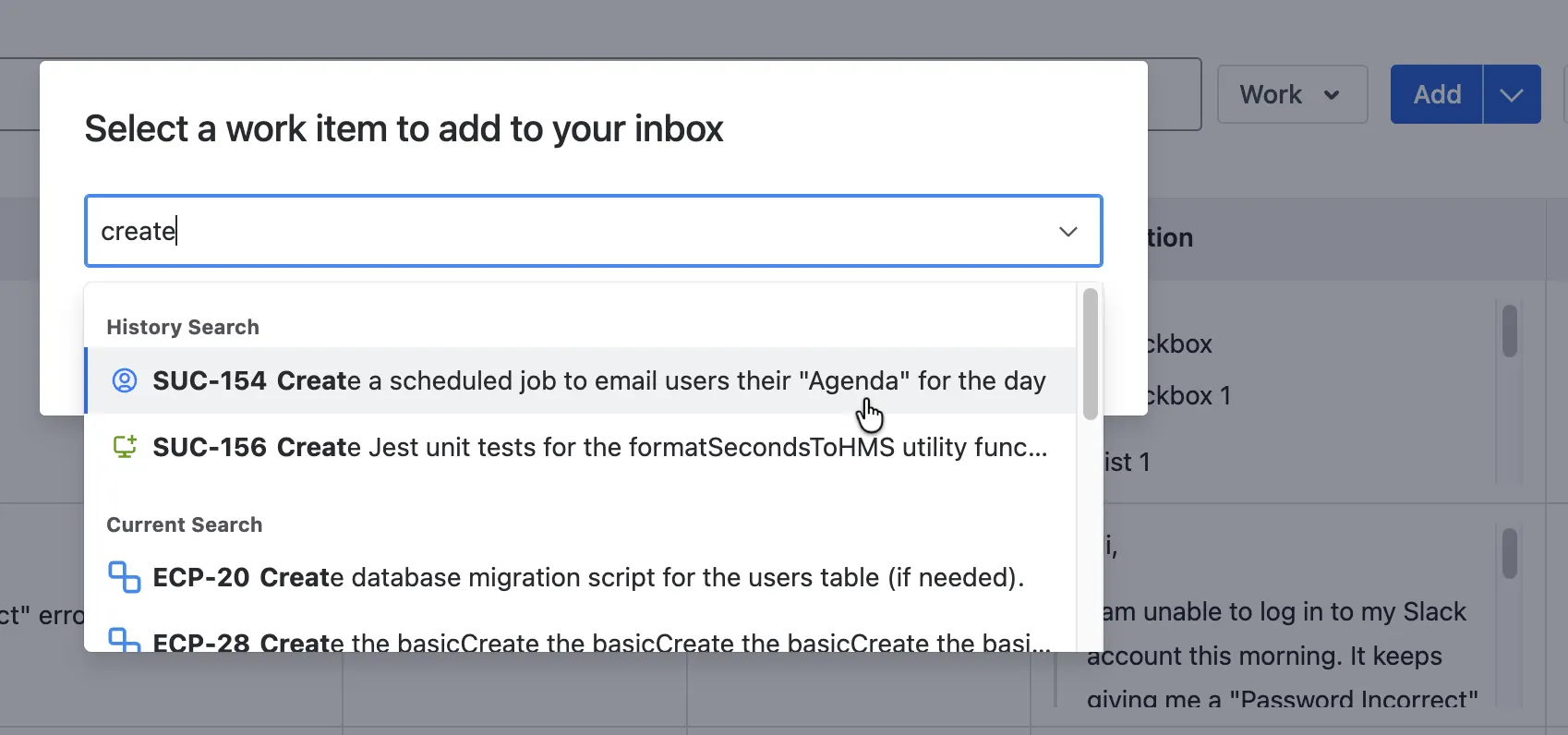
How to Add Jira Work Items
- Simply navigate to the app panel and use the “Add Work Item” button.
- Select the relevant Jira issues you are responsible for. These will now appear in your Inbox, ready to be processed without losing their original Jira status or project context.
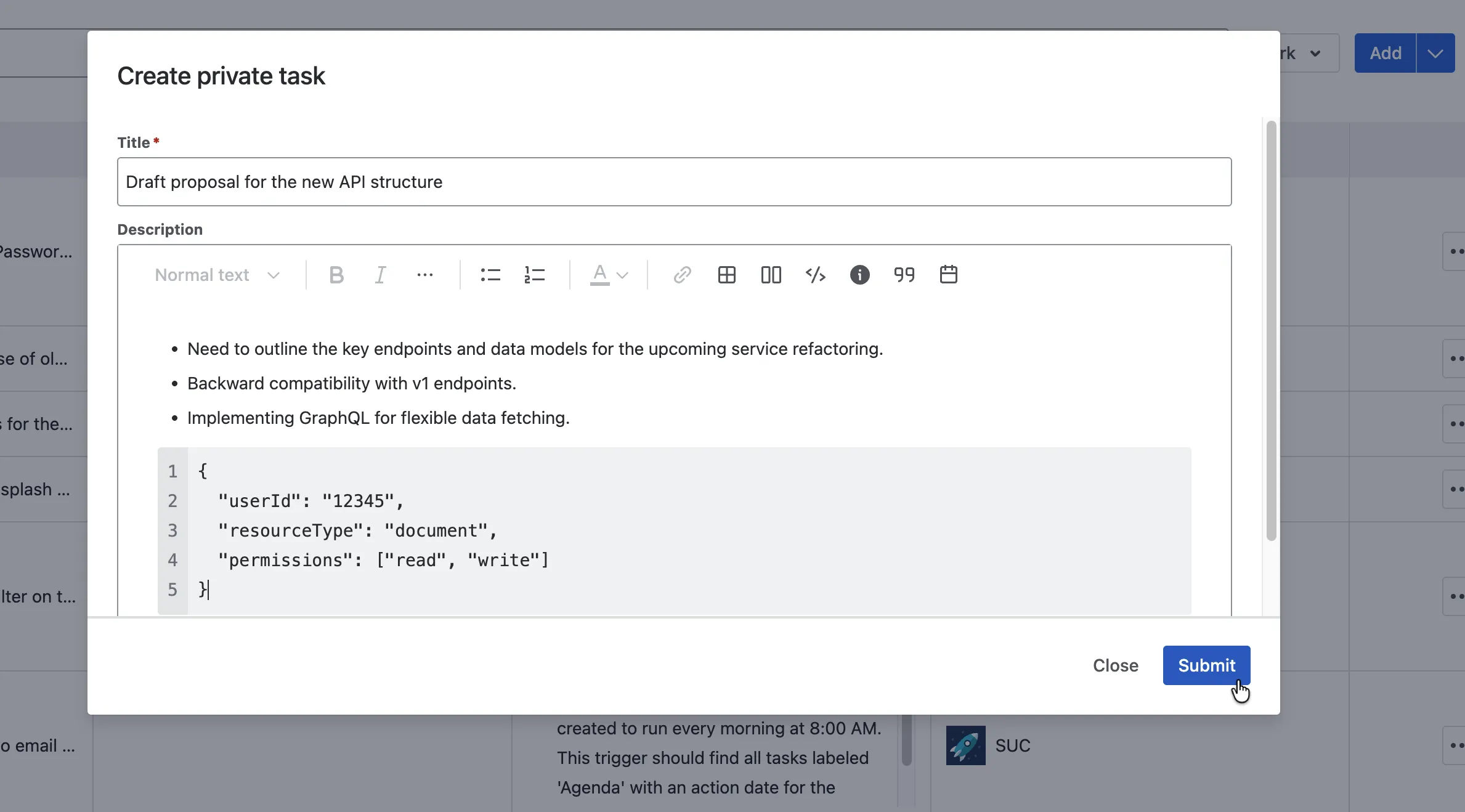
How to Add Private Tasks
- Click on the “Add Private Task” field in the Inbox.
- Type your task and hit enter. These stay exclusive to your view. Team members and stakeholders won’t see them.
Step 2: Clarify and Organize with GTD© Labels
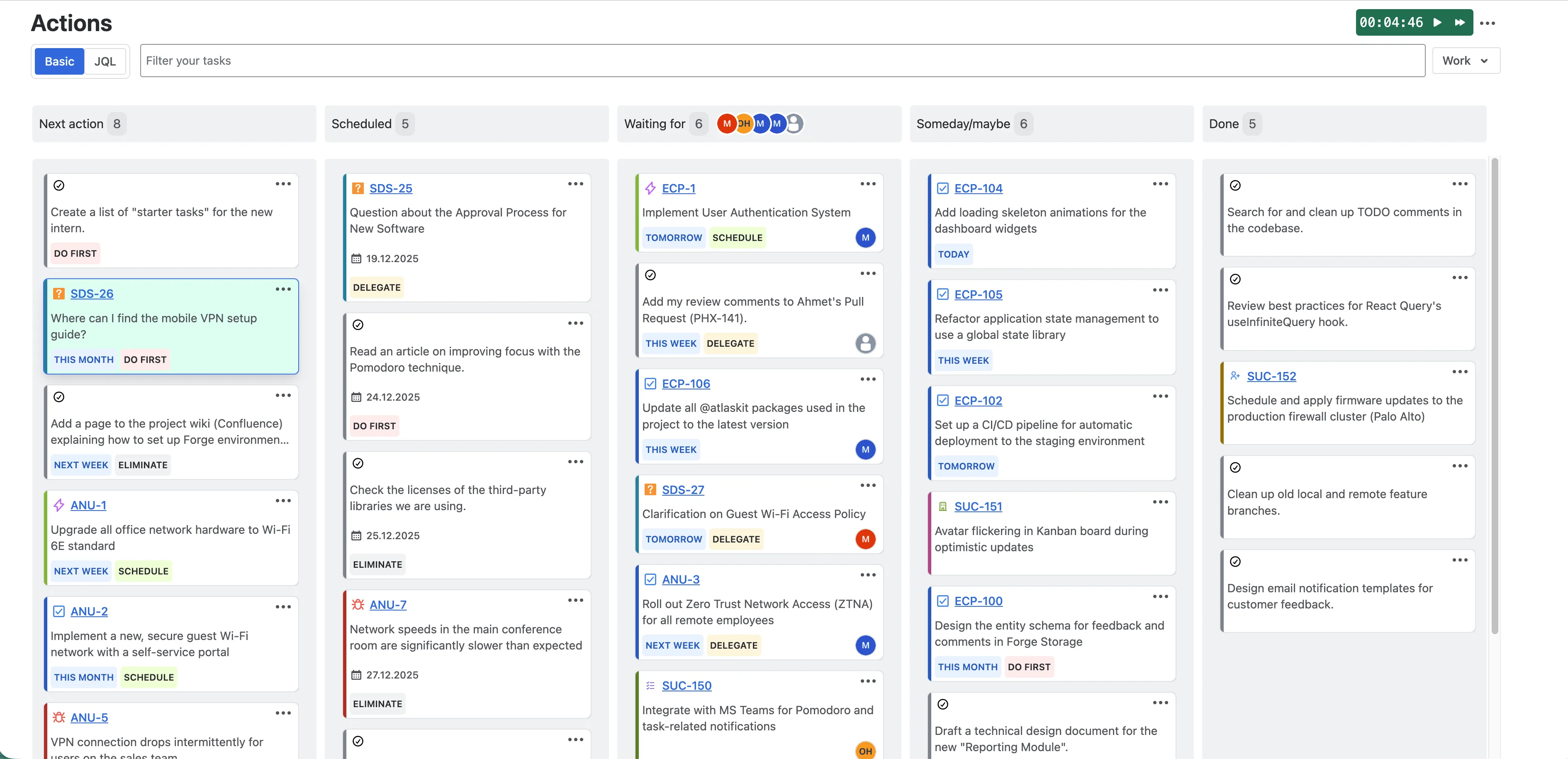
Once your Inbox is ready, it’s time to “process” it, and reach inbox empty state. Once you have done that, your every taks has a place in your system and your brain can enjoy the joy of feeling you have the control. Using the Actions menu in the app, you can quickly assign a GTD© actions to each item. This moves the task out of the Inbox and into a specific functional category:
Next Action
- The Methodology: These are concrete, physical actions you can take right now.
- In Getting Work Done App: If a task is ready to go and takes more than 2 minutes, actions it as Next Action. This becomes your “Today” list, the primary place you work from.
Scheduled
- The Methodology: Tasks that are time-sensitive or need to happen on a specific date.
- In Getting Work Done App: Use this for deadlines or meetings. It helps you look ahead at your week without getting overwhelmed by items that don’t need attention yet.
Waiting For
- The Methodology: You’ve finished your part, but you’re waiting for a stakeholder’s approval, a developer’s PR, or a client’s feedback.
- In Getting Work Done App: Labeling these as Waiting For keeps them off your “Next Action” list but ensures they don’t fall through the cracks. During your weekly review, you can quickly see who you need to nudge.
Someday/Maybe
- The Methodology: Projects you want to do in the future, but not right now (e.g., “Learn Python” or “Refactor old CSS”).
- In Getting Work Done App: Don’t let these “cold” tasks clutter your active sprint. Assign them to Someday/Maybe. They are safely stored, allowing you to focus on current priorities with a clear conscience.
Done
- The Methodology: Marking completion is vital for psychological closure and tracking progress.
- In Getting Work Done App: When you finish a task, move it to Done. This provides a clean archive of your productivity, making your Weekly Review much more satisfying.
Why Use “Getting Work Done”?
The Getting Work Done app simplifies the friction that usually kills productivity systems:
- Seamless Integration: You don’t have to leave your Jira environment or navigate through complex filters.
- Visual Clarity: The app provides a dedicated view where these GTD© labels are front and center.
- Private vs. Public: The ability to mix private personal tasks with public Jira work items is a game-changer for individual contributors.
Final Thoughts
Productivity isn’t about doing more; it’s about having the confidence that you are doing exactly what you should be doing at this moment. By combining the GTD© methodology with the Getting Work Done app, you turn Jira from a source of “work-stress” into a source of “work-flow.”
It is available on the Atlassian Marketplace.
GTD® and Getting Things Done® are registered trademarks of the David Allen Company. Getting Work Done is not affiliated with, approved by, or endorsed by the David Allen Company.