Creating Reminders on Issue Transitions in Jira
In fast-paced environments, keeping track of issue statuses and ensuring timely follow-ups can be challenging. When an issue transitions…
In fast-paced environments, keeping track of issue statuses and ensuring timely follow-ups can be challenging. When an issue transitions from one state to another (whether it’s moving from “In Progress” to “Ready for Review” or from “Done” to “Closed”), team members often need reminders to take the next action. The Reminders app for Jira provides a powerful solution by automating notifications based on issue transitions, ensuring nothing falls through the cracks.
Why Set Reminders on Issue Transitions?
Issue transitions represent critical moments in your workflow. Here are common scenarios where automated reminders add significant value:
Code Review Follow-ups
The Challenge: When a developer moves a ticket to “Ready for Review,” reviewers may not notice immediately, causing delays in the review process.
The Solution: Set up a reminder that notifies the assigned reviewer 1 day after an issue transitions to “Ready for Review” if no action has been taken. This gentle nudge ensures reviews happen promptly without micromanagement.
Quality Assurance Handoffs
The Challenge: After development is complete and an issue moves to “QA,” testing might be delayed if QA engineers are juggling multiple priorities.
The Solution: Configure reminders to alert the QA team 4 hours after transition to “QA” status. This ensures testing starts in a timely manner while respecting the team’s workflow.
Stakeholder Updates
The Challenge: When high-priority issues are resolved, stakeholders need to be informed, but developers may forget to communicate status changes.
The Solution: Create automatic reminders that notify project managers and stakeholders when critical issues transition to “Done,” ensuring transparent communication across the organization.
Deployment Verification
The Challenge: After issues are deployed to production, teams need to verify the deployment was successful, but this step often gets overlooked.
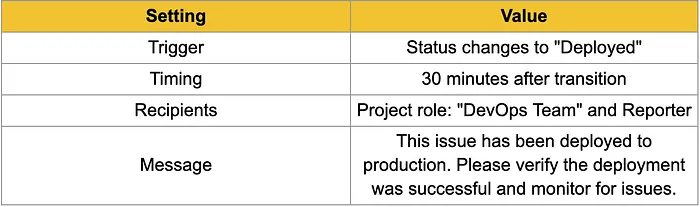
The Solution: Set reminders to prompt the deployment lead to verify production status 30 minutes after issues transition to “Deployed,” ensuring quick validation and rollback if needed.
How to Implement Reminders on Issue Transitions
The Reminders app for Jira makes it straightforward to set up transition-based notifications. Here’s a step-by-step guide to implementing this functionality:
Step 1: Install and Access the Reminders App
Navigate to the Atlassian Marketplace and install the Reminders app for Jira.
Step 2: Define the Trigger Condition
The trigger determines when the reminder should be created. For transition-based reminders:
- Select “Status Changed” as your trigger type.
- Specify the “From” status and the “To” status . For example:
- From: “In Progress” → To: “Ready for Review”
- From: “Done” → To: “Deployed”
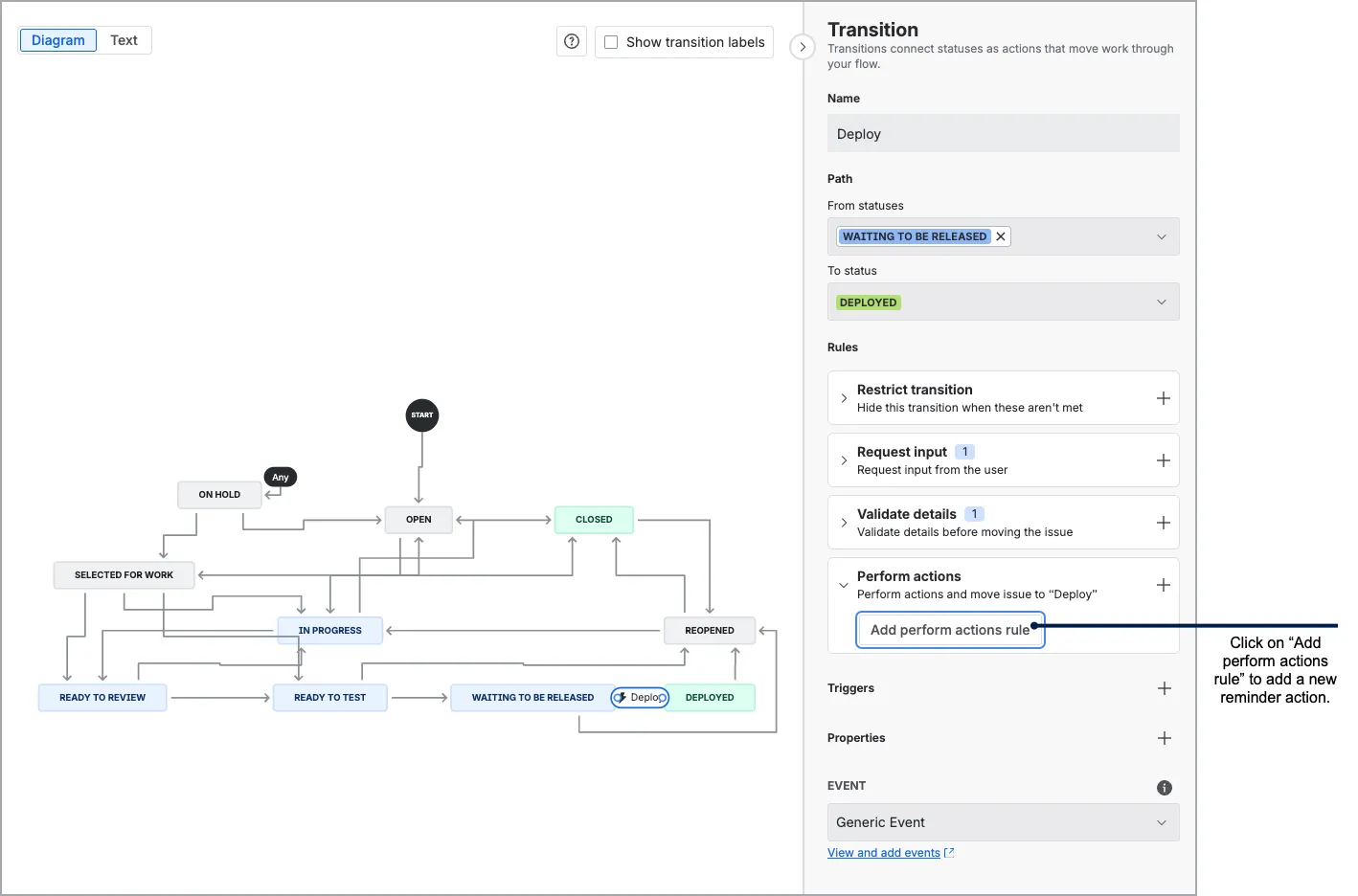
Step 3: Add Reminder Action
Add a “Create Reminders” action to your new rule.
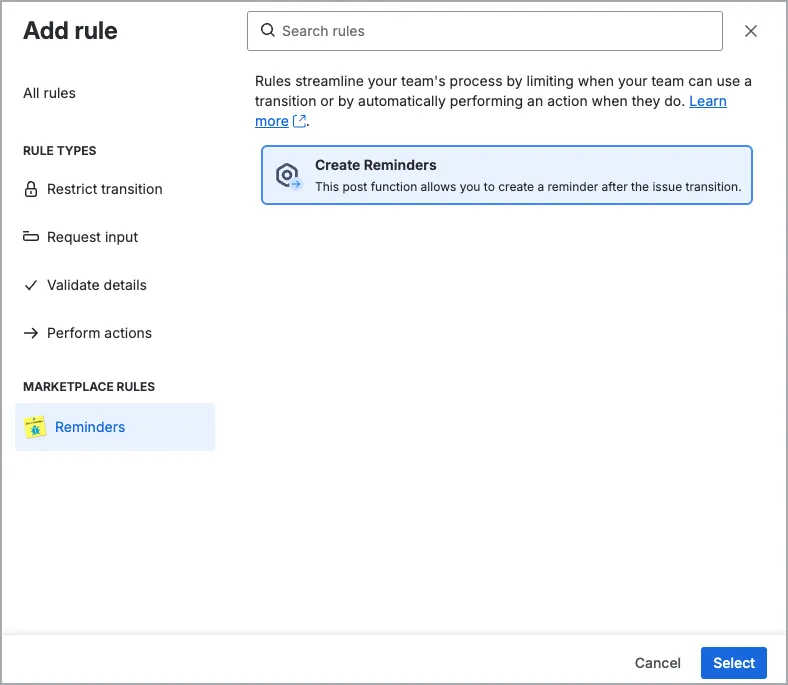
Step 4: Configure Reminder
Configure new your new reminder.
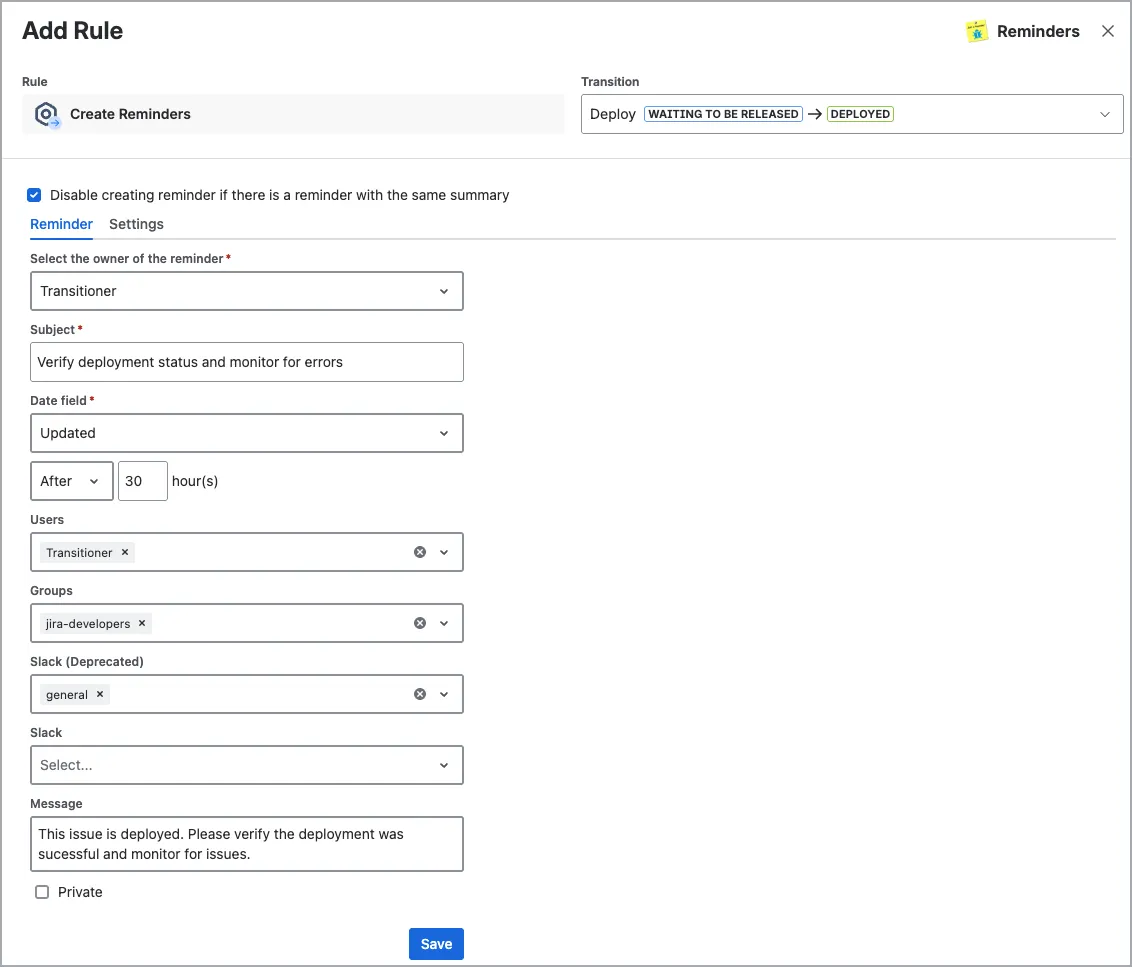
- Date field: Only relateive reminders are allowed for reminders created as a workflow action. Since exact date time of reminder is not known, you can’t specify an exact date. You will mostly use “Updated” field or “Due Date” field. For example, you can send a reminder after specific amount of time pass since the transition or you can send a reminder just before due date.
- Assignee: The person currently assigned to the issue
- Reporter: The person who created the issue
- Specific users or groups: Manually selected individuals or groups
- External App Integrations: Send notifications directly to Slack, Microsoft Teams, or Google Chat channels.
Example Reminder Configurations
Here are three practical examples of transition-based reminder configurations:
Example 1: QA Handoff Reminder
Press enter or click to view image in full size
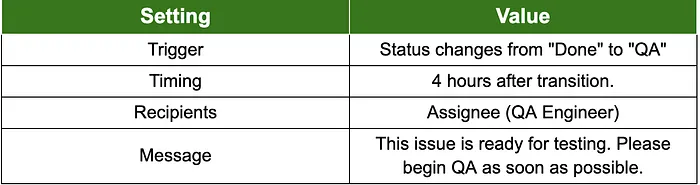
Example 2: Deployment Verification Reminder
Press enter or click to view image in full size
Conclusion
Setting reminders on issue transitions transforms Jira from a passive tracking tool into an active accountability system. The right people are automatically notified at the right time, reducing bottlenecks, strengthening communication, and ensuring that no critical task slips through the cracks.
With the Reminders app, setting up this process is quite simple. Thanks to its user-friendly interface and flexible settings, your team can manage code reviews, QA processes, or stakeholder updates without the need for constant follow-ups or status meetings.
To get started, identify a few critical transitions in your workflow that cause the most delays and set up logical reminders.
Make sure to gather regular feedback from your team and optimize the system accordingly.
Our Reminder app also has capability create reminders manually on issue transition screens. We will soon publish a new post about how to create reminders on issue transition screens.
Install the Reminders app for Jira today and start automating your team’s accountability.