Using TypeScript for AWS Lambda Part 2
In the first part we had setup our Lambda development environment with TypeScript and local testing. But there is a problem with it, if you…
In the first part we had setup our Lambda development environment with TypeScript and local testing. But there is a problem with it, if you try to use any additional npm package other than build-in “aws-sdk” it will fail.
"Error: Cannot find module 'axios'This is because in template.yaml file we are saying our lambda functions are inside “./build” folder, it is really there. TypeScript is transpiling our code to JavaScript and putting it there. The problem is, this folder does not contains “node_modules” folder, where “axios” package is located.
EventFunction:
  Type: AWS::Serverless::Function
  Properties:
    CodeUri: build #we are telling our code is only the build folder
    Handler: event.add
Actually there is a very easy workaround to this,
EventFunction:
  Type: AWS::Serverless::Function
  Properties:
    CodeUri: ./ #we are telling our code folder is the whole project
    Handler: build/event.add
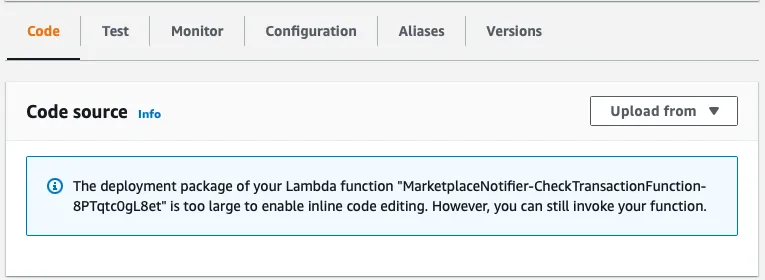
With only this change our code will work with external npm packages. There are cons of this approach, packet size. “sam deploy” command will bundle everything in our project folder and resulting package will be large. For my case it was around 29Mbytes. First of all, deploy command will take longer and you will not be able to edit your code using de Cloud9 IDE of AWS Lambda console.