Rank a Jira Issue in a Board's Backlog Without Opening the Board
How Board Custom Field lets you move a Jira issue to the top or bottom of a board's backlog from the issue view.
You open a story and decide it should be the next thing your team picks up. It isn’t in a sprint yet, so its place in the backlog decides whether it gets planned this week or waits a few more sprints. Moving it means leaving the issue, opening the board, finding the row in the backlog and dragging it up. If the issue is on a second board, you do it all again there.
In the first post in this series, we showed how Board Custom Field lists every board an issue matches on the issue itself. The same table has an Actions column, and from there you can rank the issue in any of those boards’ backlogs without opening the board.
Ranking an issue from the Actions column
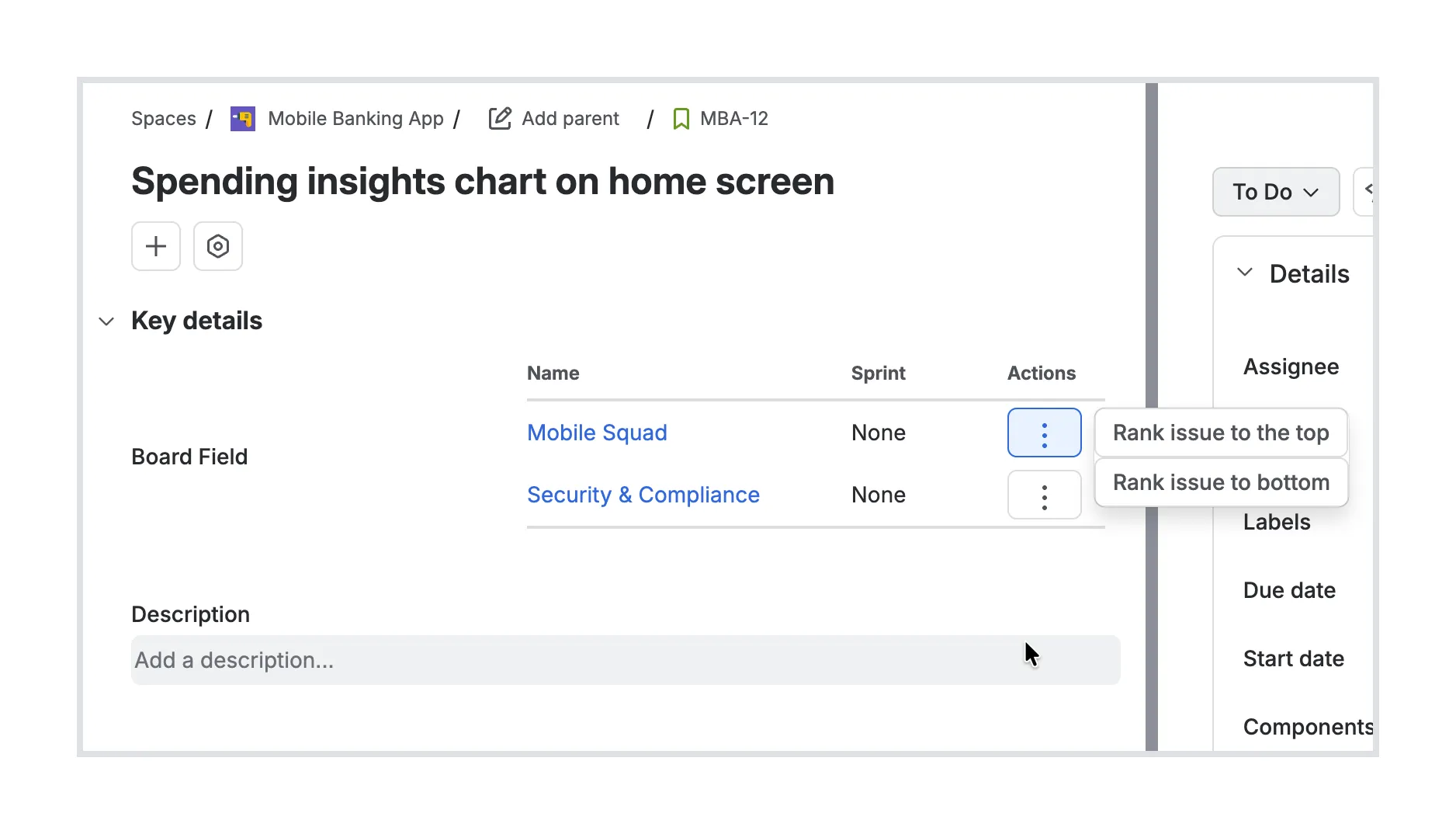
Each board row has a small menu button in the Actions column. Open it and you get two options: Rank issue to the top and Rank issue to bottom. When you pick one, the field reads that board’s backlog to find the issue currently at the top or the bottom, then asks Jira to place your issue before or after it.
The Actions column is shown only while the issue isn’t in a sprint. Once it’s added to an active or future sprint, the column is hidden, and its order is set during sprint planning on the board.
An example: moving MBA-12 to the top of Mobile Squad’s backlog
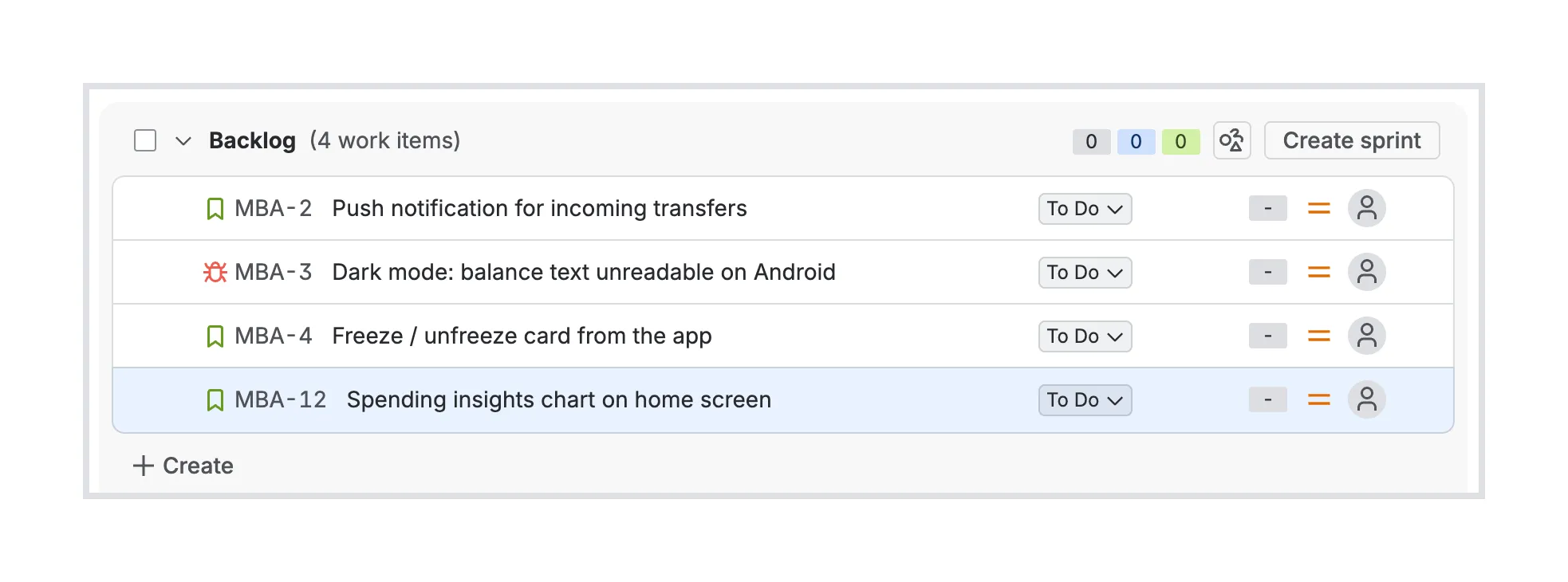
The Mobile Banking App project has a Mobile Squad board whose backlog holds four items that haven’t been scheduled yet. MBA-12, “Spending insights chart on home screen,” was added last, so it sits at the bottom, under MBA-2, MBA-3 and MBA-4.
The product owner wants the spending chart in the next sprint. They open MBA-12, where the field lists two boards, Mobile Squad and Security & Compliance, both with “None” for sprint. On the Mobile Squad row they open the actions menu and choose Rank issue to the top.
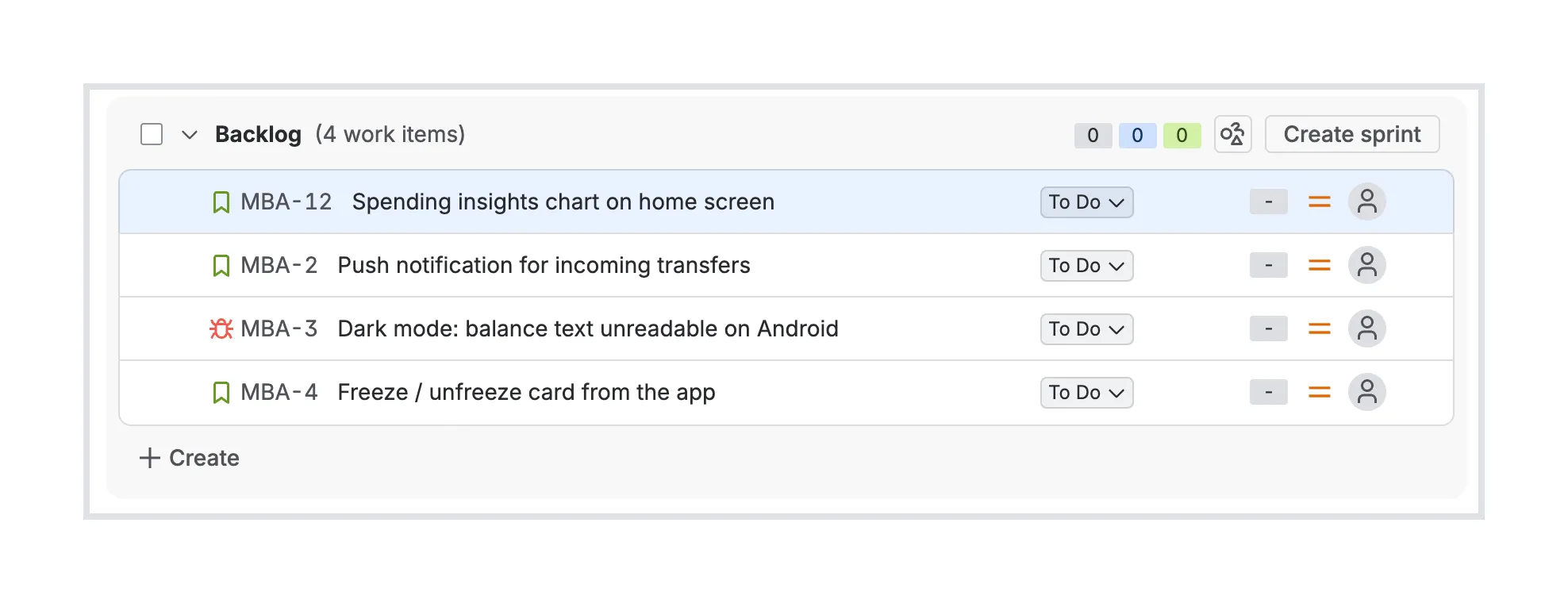
After the flag confirms the rank, MBA-12 is first in Mobile Squad’s backlog, above the push notification story. MBA-2, MBA-3 and MBA-4 keep their order under it. On the Security & Compliance board MBA-12 hasn’t moved, because only the Mobile Squad row was used.
If the security review for the chart can wait, the Security & Compliance row has the same menu, and Rank issue to bottom puts MBA-12 behind everything else in that board’s backlog.
In the next post in this series, we’ll show how to export the boards and sprints of many issues at once with Board Fields, the app action in the Apps menu of Jira’s filter page.
Board Custom Field is on the Atlassian Marketplace if you want to try ranking from your own Jira issues.