Boards and Sprints for Issue Navigator
Board Custom Field adds a Board Fields action to Jira's Apps menu. It lists the boards and sprints of work items your JQL search returns, and and give you option export that list to Excel or PDF.
A JQL search is the quickest way to get a list of issues in Jira, such as everything in a fix version, with its status, assignee and sprint next to each one. Boards work a little differently. A board is a saved filter, and an issue appears on it while it matches that filter, so which boards an issue is on depends on the filters behind them. To see that for a list of issues, you usually open the boards or the issues one by one. Board Custom Field shows it on a single issue, and it can now show it for a whole JQL search too.
In the first post in this series we showed the table the field puts on the issue view, together with their boards and sprints, and in the second we ranked an issue in a board’s backlog from that table.
From the search page, the Board Fields action lists the boards and sprints of every issue the search returns and exports them to Excel or PDF. Below, the Mobile Banking App’s version 2.0 is due at the end of the month and the product owner wants to know where its four remaining issues stand.
Issue Navigator Layout
The product owner starts in the issue navigator with this query:
project = "Mobile Banking App" AND fixVersion = 2.0Assume that this shows 4 issues. The Sprint column shows that MBA-10 is in Backend Sprint 1, MBA-9 is in SEC Sprint 2, and MBA-3 shows Add sprint with a +1. The column doesn’t tell you which board a sprint belongs to, and an issue that isn’t on any board looks the same as one that sits in three backlogs.
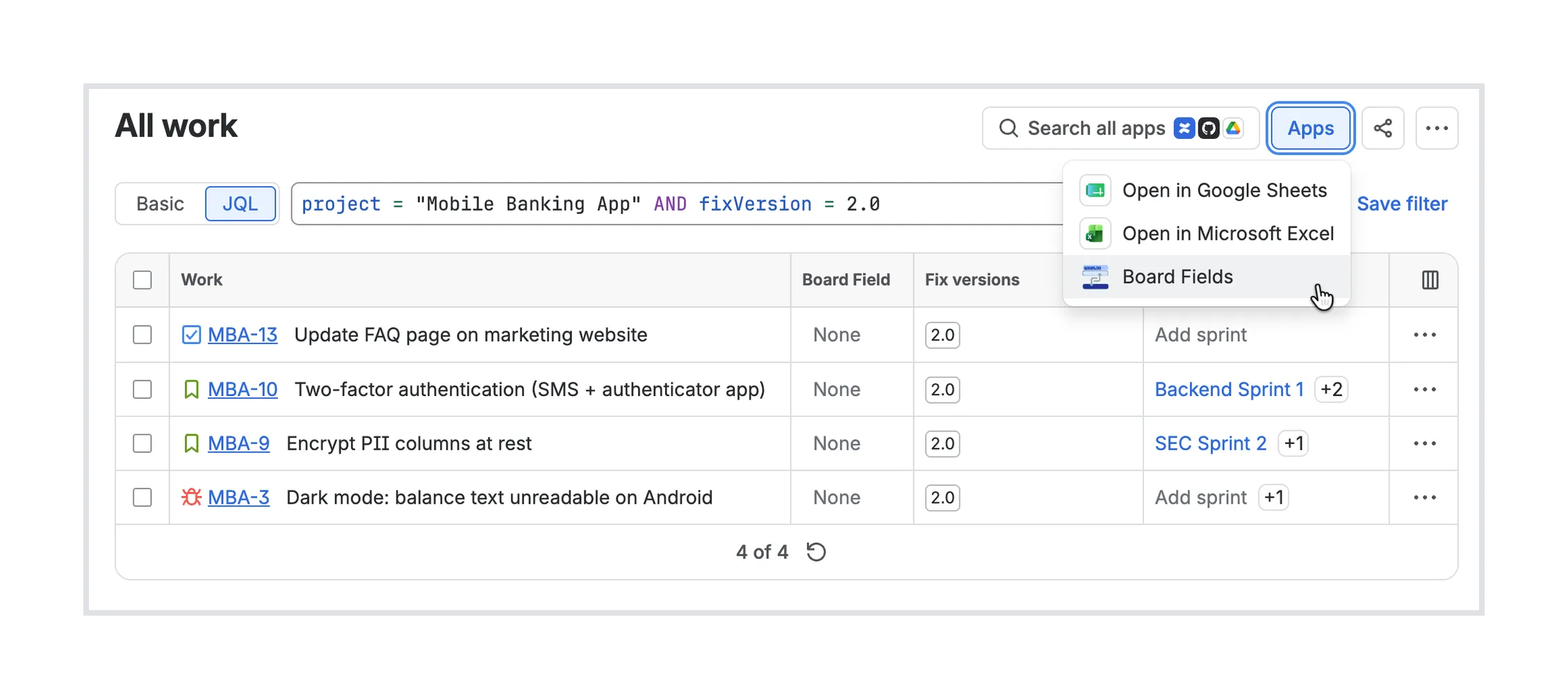
The Apps menu next to the search has a Board Fields entry. This will display a very similar table to Jira’s work item list but it will show board and sprint information for each issue.
Reading the table for release 2.0
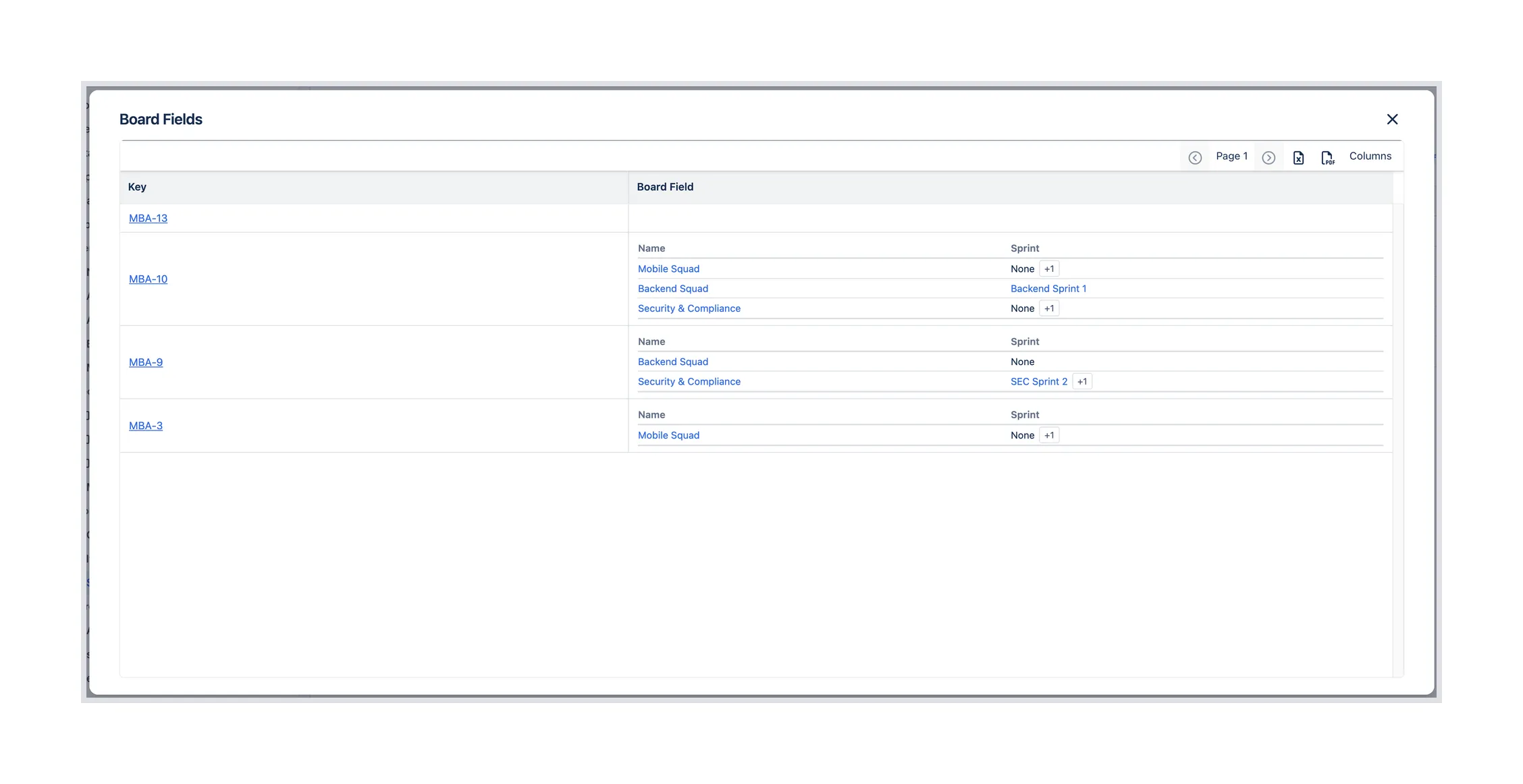
MBA-13 has an empty cell. None of the project’s board filters match it, so it won’t come up in anyone’s sprint planning. The navigator listed it like the other three, and this is the row that sends the product owner to ask which team owns the FAQ page.
MBA-10 is on three boards. Backend Squad is working on it in Backend Sprint 1. On Mobile Squad and Security & Compliance it isn’t in a sprint, and the +1 on both rows means it has already been through one completed sprint on each of those boards. If the app side of 2FA was planned for Mobile Squad’s last sprint, it didn’t get finished there.
MBA-9 is in SEC Sprint 2 on the Security & Compliance board and in no sprint on Backend Squad. MBA-3 is on Mobile Squad only, with no current sprint and one completed sprint behind it. A bug that has already missed a sprint and isn’t in the next one is the second thing the product owner raises with the team.
Exporting the list
The Excel and PDF icons above the table export what the dialog shows. The product owner sends the Excel file to the release manager, who keeps a release checklist in a spreadsheet and wants the board and sprint for each issue next to it.
The Columns button adds other fields to the table next to Key and Board Field. For a release check, Summary and Assignee are useful, so the exported file can be read without opening Jira.
Board Custom Field is on the Atlassian Marketplace, if you want to see the boards and sprints of your own JQL searches.