Notes From Porting My Development Environment to Cloud, Part 1/2
I’ve been using IntelliJ since 2012, I have an active Jetbrains Toolbox subscription for years. I have developed Android/iPhone apps, Jira…
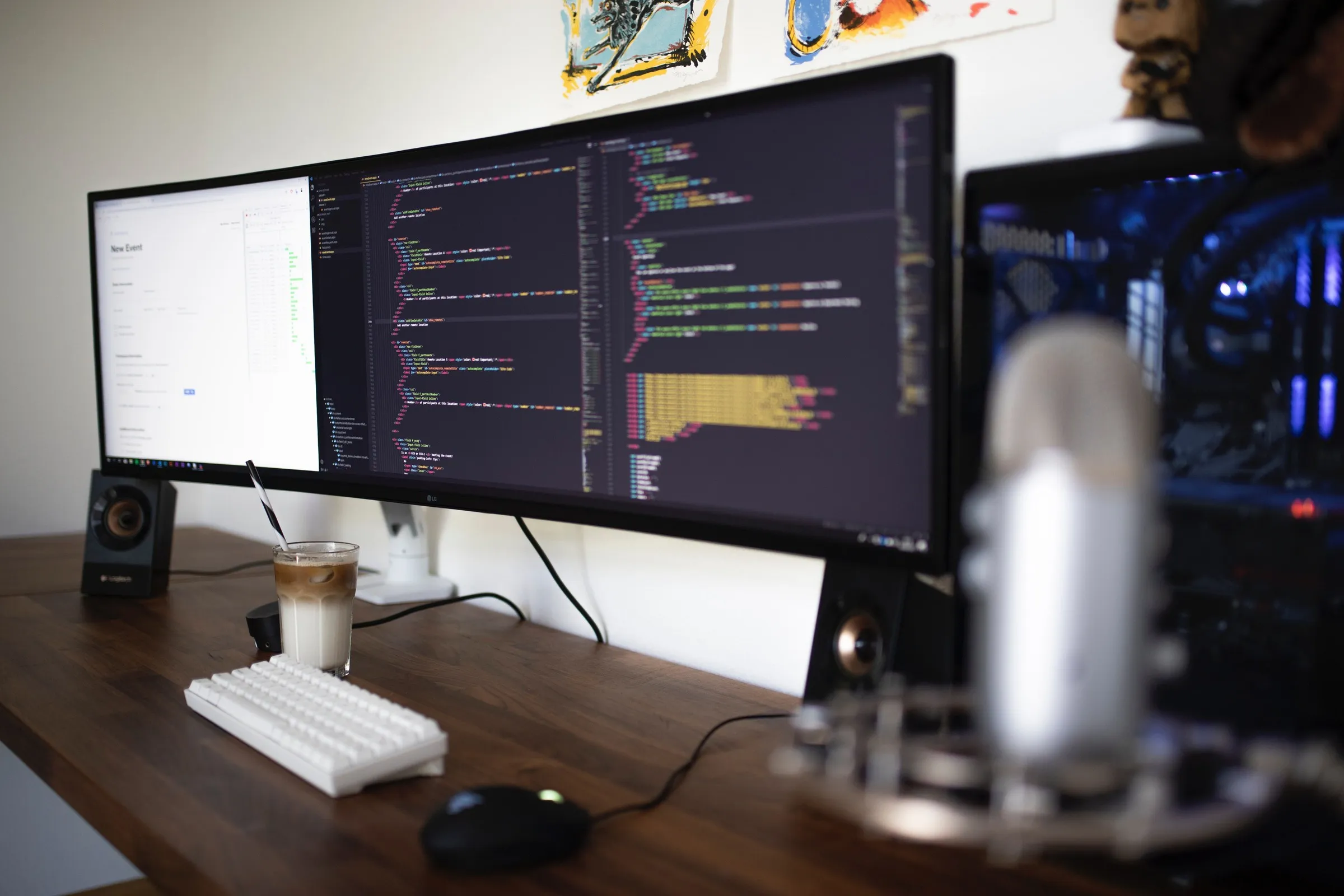
I’ve been using IntelliJ since 2012; I had an active Jetbrains Toolbox subscription for years. I have developed many Android/iPhone apps, Jira plugins with IntelliJ, programmed Arduino using Clion, browsed databases using DataGrip, developed NodeJS apps using Webstorm. I like their tools, but nowadays, I use Javascript more than Java, and Visual Studio Code has excellent Javascript support. So I wanted to try a different development workflow due to the following reasons:
- I can get 1 or 2 hours of max battery life from my 16” Macbook Pro when my development environment is up. I can’t use it without a power cord, and I want to use it more freely.
- When developing for Jira Cloud, I use Ngrok or Atlassian’s Forge tunnel to build artifacts. Since our upload bandwidth is limited compared to cloud providers, I’m thinking that running these tunnels on a server will provide a faster turnaround time when testing code changes.
- I suffer from a few bugs which are causing Webstorm to perform sluggishly on my MacBook sometimes. Maybe other editors will perform similarly, but I want to give them a try.
- I want to try VS Code. It is everywhere; instructors usually use VS Code whenever I watch a course on Udemy, egghead.io, O’Reilly, or Youtube.
I have considered several options, like Microsoft Cloud PC, Github Codespaces, and Cloud9 IDE from AWS, and decided to go with a hybrid approach. Other alternatives, such as Google’s Cloud Code or running IntelliJ remotely on a docker container. Due to limited time constraints, I am unable to evaluate all other options. If you have experience with them, I want to listen to them.
Since all of our code repositories are hosted on Bitbucket, we have eliminated Github Codespaces. However, it has the best integration with Visual Studio Code and is the only option that allows running VS Code in the browser. If you are already using Github, its tight integration with Github is also a plus. While browsing a Github repo, you can start working in VS Code within seconds.
Microsoft Cloud PC offering is very compelling, and it provides more than a development environment, a complete PC with MS Office products. But we rarely use MS Office products. Also, it streams the whole desktop using desktop streaming protocols. It is a more heavy-weight solution than I’m currently interested in tackling.
Amazon’s Cloud 9 IDE solution provides an in-browser IDE (Cloud 9) paired with an EC2 server which is automatically suspended after a configured amount of idle time. It works well, but compared to VS Code, Cloud 9 is pretty limited. For example, it doesn’t have plugin support. But, it comes integrated with AWS. You can browse AWS services within Cloud9, and its terminal has already been configured with AWS CLI. It may fit your needs if you are only working with lambdas or not using your IDE other than simple code editing.
Since our company uses various AWS services and billing is already set up, and it is cheaper than any other option, we have decided to use Amazon’s Cloud 9 IDE without the IDE part. Let me explain it a little more. VS Code has an excellent Visual Studio Code Remote -SSH extension, and it allows you to open a workspace on any server accessible with SSH. There are various tutorials on the Internet about how to set it up. It is pretty easy to do. This is Amazon’s own guide for it. The editing experience is excellent, and it is very close to local development. I don’t have any complaints about it. Once you launch an environment with Cloud9, you can change disk size, instance type, firewall settings using the usual EC2 console. You are not limited by the choice you have made at the beginning.
For the next step, I have checked out the code and pass over some steps in my daily development workflow. During a week, I develop both Java and Javascript applications. But nowadays I’m developing a Jira Cloud application using Atlassian’s Forge Platform for Codegeist. This consist of building UI of application using Webpack and packing and deploying to whole application to Forge Platform. I have try different EC2 instance types, vCPU count and RAM. All tests are done on “eu-central-1 (Frankfurt)” region.
I have tried two things; a complete Webpack build and deploying the app. When deploying a forge app, it build UI Kit part of the app using its internal tools and uploads build artifacts, including the part build with Webpack to Forge infrastructure which is also hosted on AWS. Time is measured with “time” command. I have used NodeJs v12.17.0 for all tests.
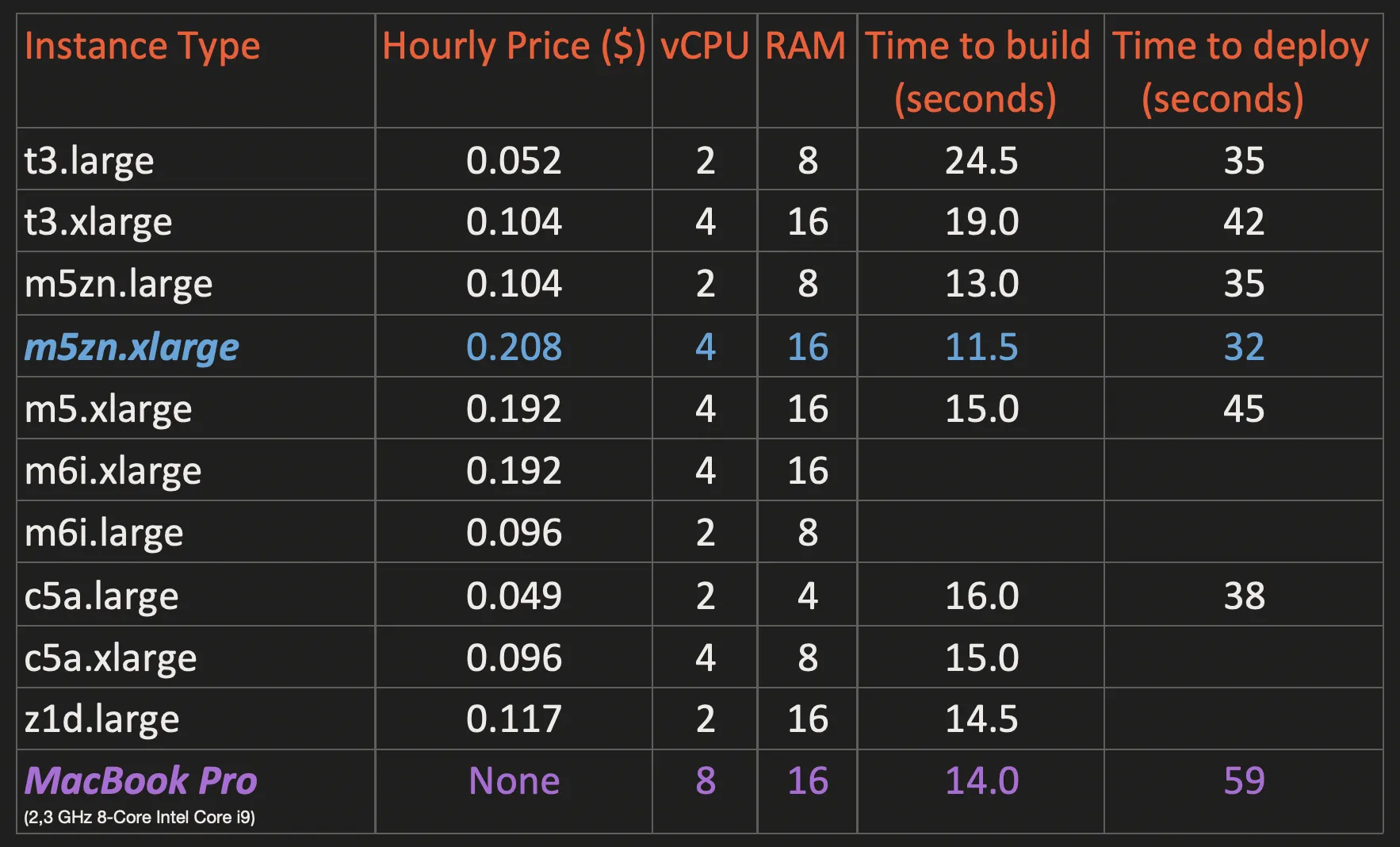
As you can see “Time to deploy” results varies a lot. I think this doesn’t depend on instance type, all instances has 10gbit or 25gbit network interfaces. I think this is mostly affected by deployment speed of Forge platform. May be load on this platform changes from day to day and this may be affecting deployment speed. It simply runs faster on weekends. But, all of them works better than my laptop, because upload speeds are very limited in our location.
I couldn’t test with newly introduced m6i instances, because they were not available in the “eu-central-1a” availability zone when I was performing these tests. According to information I have found on the Internet they will perform better than m5 instances for the same price. “eu-central-1a” has lowest consistent latency (around 44ms) when accessing from Turkey.
Some instance types has such as t3 are burstable instances, which means they can perform better than their baseline performanse for a short period of time. This may seriously effect results of any performance tests. I didn’t check this parameter when testing instances.
For the time being I have settled with m5zn.xlarge instance type. But it only takes one minute to stop it, change it to another instance and restart. This is the best part of AWS.